3D sales tools for real estate developers, from BIM.
Sell the view before the tower exists.
I turn your construction models into sales tools that open in a browser: an interactive site plan and availability stack, interactive floor plans, a view and sun simulator for every unit, a walkable virtual tour and weekly site progress. Buyers pick an apartment by what they will see from it, and every enquiry arrives with the unit attached.
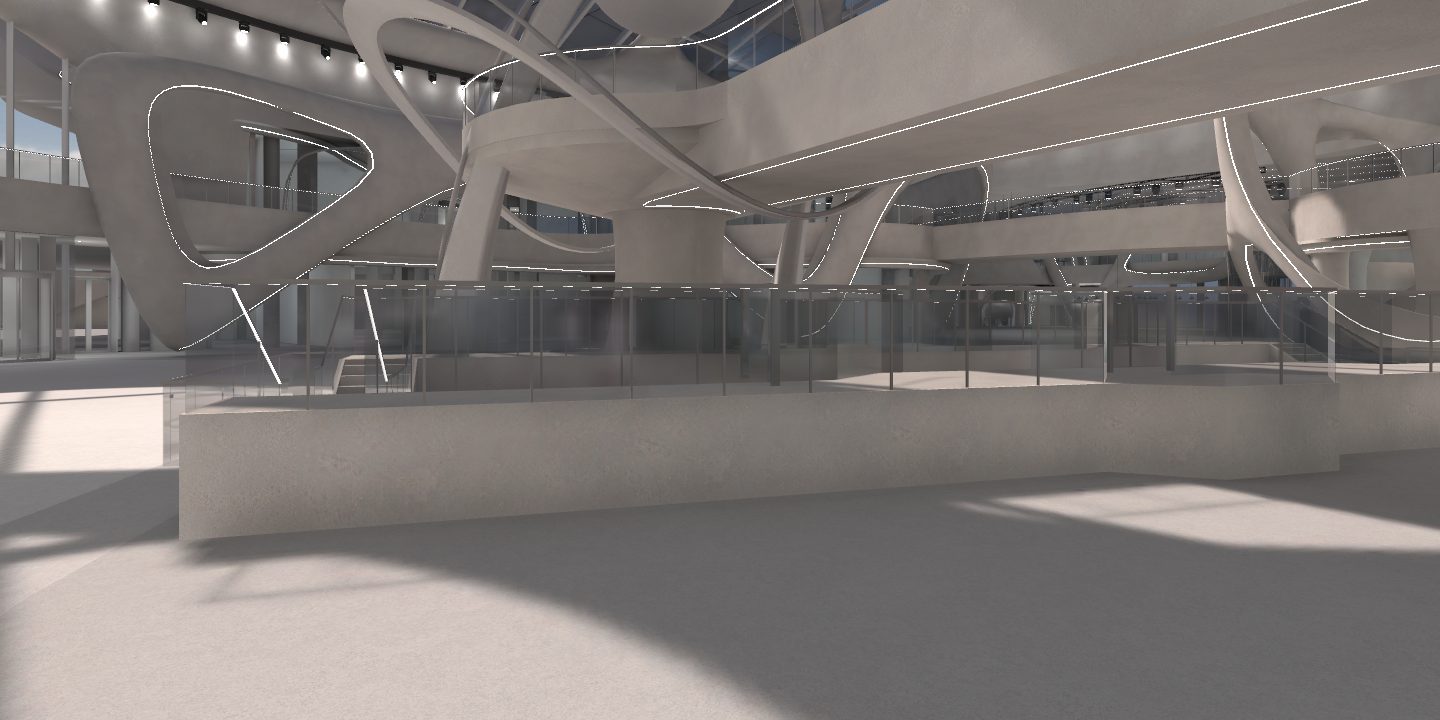
I’m Mo Tawfik Khalifa. I build real-time 3D worlds, and I turned SEVEN Al Hamra in Riyadh into a real-time replica from its Revit, IFC and Navisworks models, about 650 MB, before the building opened. It runs in your browser.
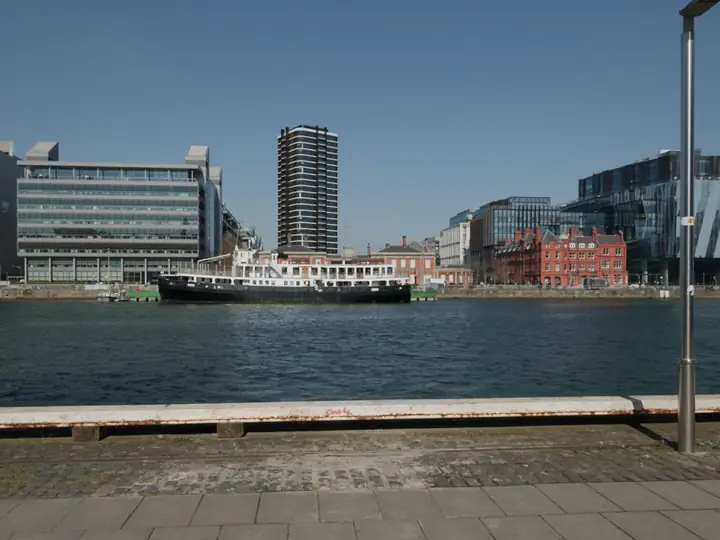 Real photo, tower rendered · drag to scrub
Worried your sales pictures promise more than you build?
Off-the-plan buyers cannot walk the flat, so they buy what the pictures show them. Courts and buyers now hold developers to those pictures. The honest render is the one that sells and keeps selling.
- 01
“Such renders are a proxy for an inspection”
That is the Federal Court of Australia in Ripani v Century Legend [2022] FCA 242. It also found that “the words ‘artist’s impression’ are incapable” of curing a misleading picture. The court ordered the $9.58 million contract revoked and $380,000 in damages; the developer appealed. Every picture, plan and tour I make comes out of your approved BIM, so the room on screen is the room in the drawings. REIQ, on the judgment
- 02
“A cheap way of getting people to think they’re buying something a bit bigger”
A Belconnen buyer, in August 2026, after his apartment was relabelled a “one-bedroom plus study”. The floor plans and the walk-through above take their dimensions from the model, so a buyer can measure the sofa wall before they sign. When the plans change, the model changes, and every tool built on it changes with it. The Canberra Times
- 03
Will it look real enough to sell?
Built exactly from the construction files is how I won SEVEN Al Hamra: its 3D portal asked for a replica from the BIM, not an artist’s impression. Open it in your browser and judge for yourself.
- 04
Getting stuck with an agency you cannot leave
You own the code, the model, the accounts and the domain from day one. The price is fixed in writing after the first call, you talk to me, the person who builds it, and you get a live link to click every week and a written handover at the end.
Pick your apartment by its view.
Tap a floor on the tower, or a unit on the availability stack. The picture zooms into that window and opens a real photograph taken from about that height, facing that way, as a sample; drag to look around. Move the clock and the date: the sun hours follow the real sun for London’s latitude, and after sunset the pictures switch to dusk. The tower, the district and the availability are invented sample data.
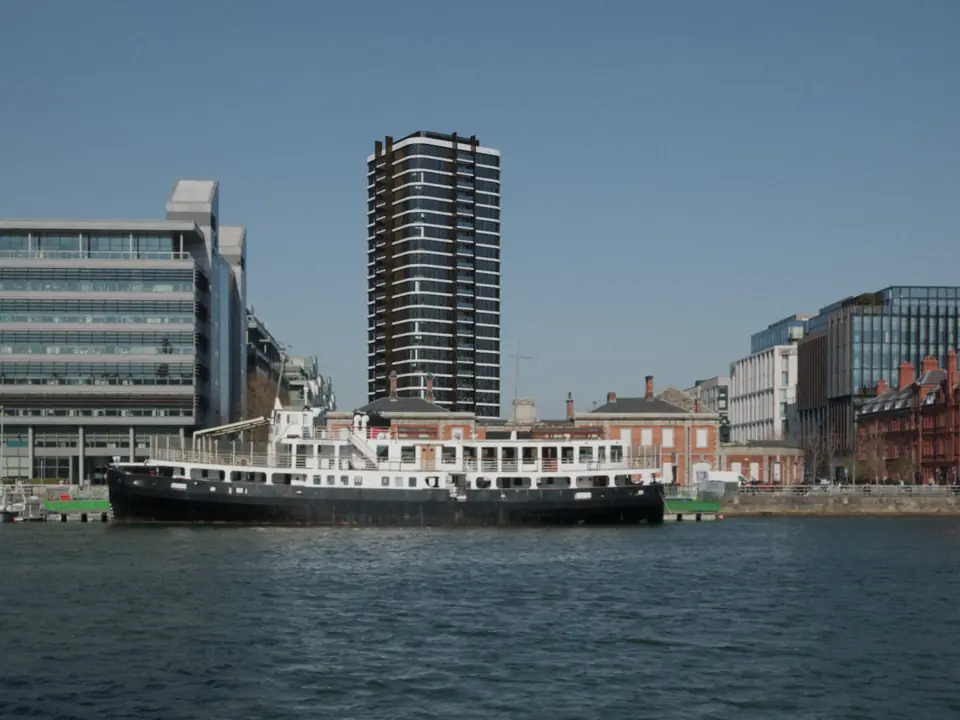
Sun position: the NOAA Solar Calculator equations, based on Jean Meeus’ Astronomical Algorithms, for 51.5074° N, 0.1278° W in the Europe/London time zone. Direct sun counts when the sun is above the horizon, within 90 degrees of the facade and not blocked by a building in the model, tested ray by ray from the window every 2 minutes. On a real project the surroundings come from the city’s 3D model or a drone survey.
Walk through the home, then ask it anything.
Type B2 is the two-bedroom flat on the south side, here as A-18S on level 18. Walk it in real-time 3D, open the plan, or ask the guide. Every answer is worked out from the plan and the site data, then shown in the room: the camera moves, the measurement draws on the floor, the sun crosses the room, the sockets light up. No AI service is called, so every figure can be checked. The flat, its plan and the distances are sample data.
Drawn from the same data as the 3D, the way an architect’s AutoCAD sales plan is. Tap a symbol and the 3D shows the real thing.
What we build for developers.
Real estate developer marketing for buildings that are not built yet. One model, the BIM, feeds every tool, so the brochure, the floor plan, the view and the tour never disagree.
- 01
Interactive site plan and availability stack
Every plot or apartment, coloured by status from your sales sheet or CRM, with filters for beds, price band and aspect. interactive site plan
- 02
Interactive floor plans
Plans drawn from the BIM, so the dimensions are the real ones. Tap a room for its size, layout options and finishes. interactive floor plan
- 03
View and sun simulator
The view from each unit at its real height and direction, and its hours of direct sun on any date, like the sample above. apartment view simulator · sun study
- 04
A walkable virtual tour from the BIM
Built from Revit, IFC or Navisworks, by day and by night, in a browser with nothing to install. real estate virtual tour · bim visualization
- 05
Renders and films from the same model
Stills and fly-throughs for the campaign, made from the scene the tools run on, so the pictures match what buyers can explore. architectural rendering services
- 06
The sales suite, the laptop and the phone
One build on the touch table in your sales gallery, an agent’s laptop and a buyer’s phone abroad, with the enquiry carrying the unit number. off plan property marketing
- 07
Site progress, week by week
Weekly captures turned into a compare view that buyers and investors open from a link, like section III below. construction marketing agency
- 08
The hand-over twin
After completion the same model can become the building’s digital twin for the people who run it. digital twin
Show progress, week by week.
Buyers who paid a deposit for a flat that is a hole in the ground want proof it is rising. Drag across the picture to compare two weekly captures. These four are rendered from the sample scene above; on a real project they come from a weekly drone flight, as photos or as a Gaussian splat you can turn.
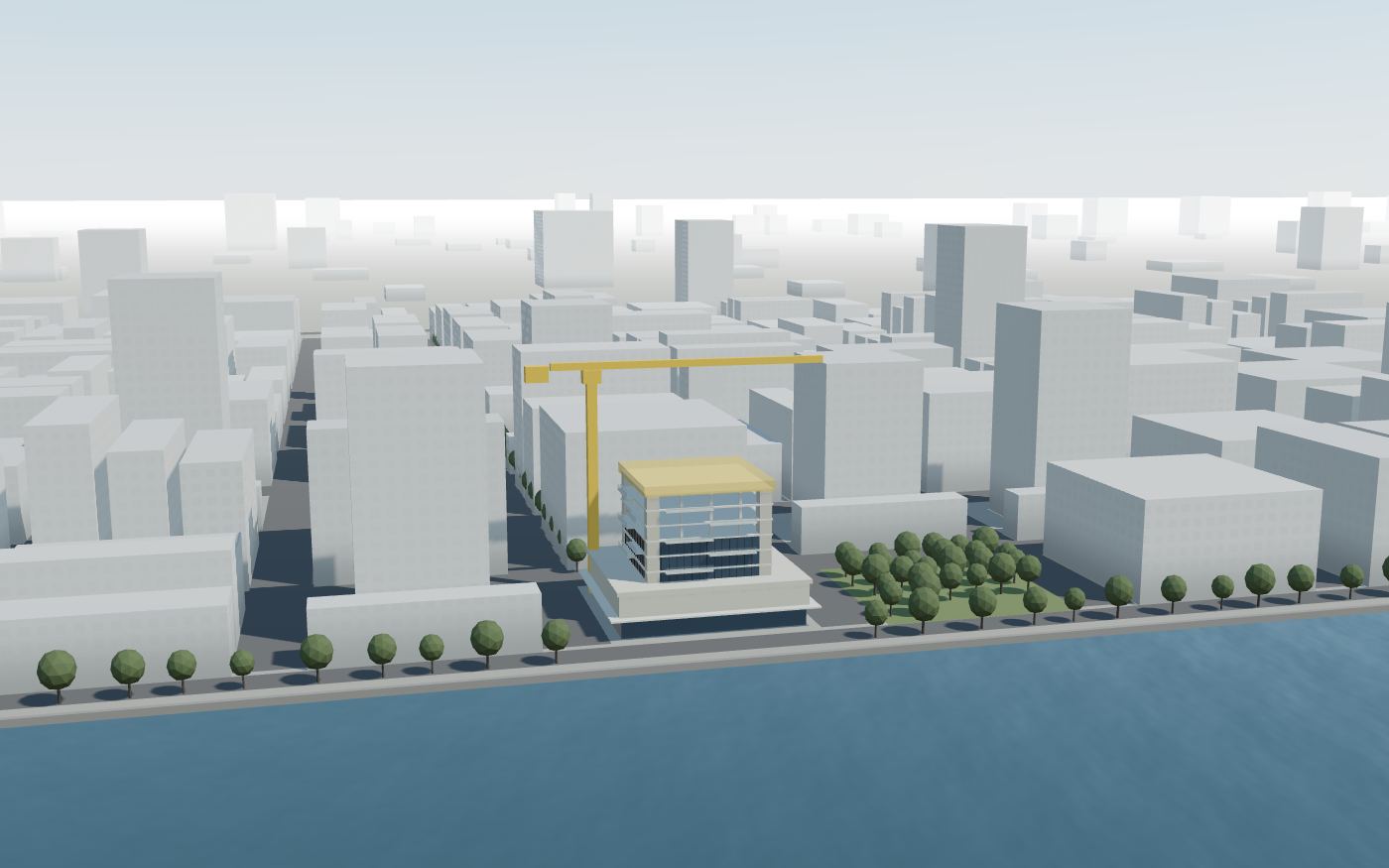
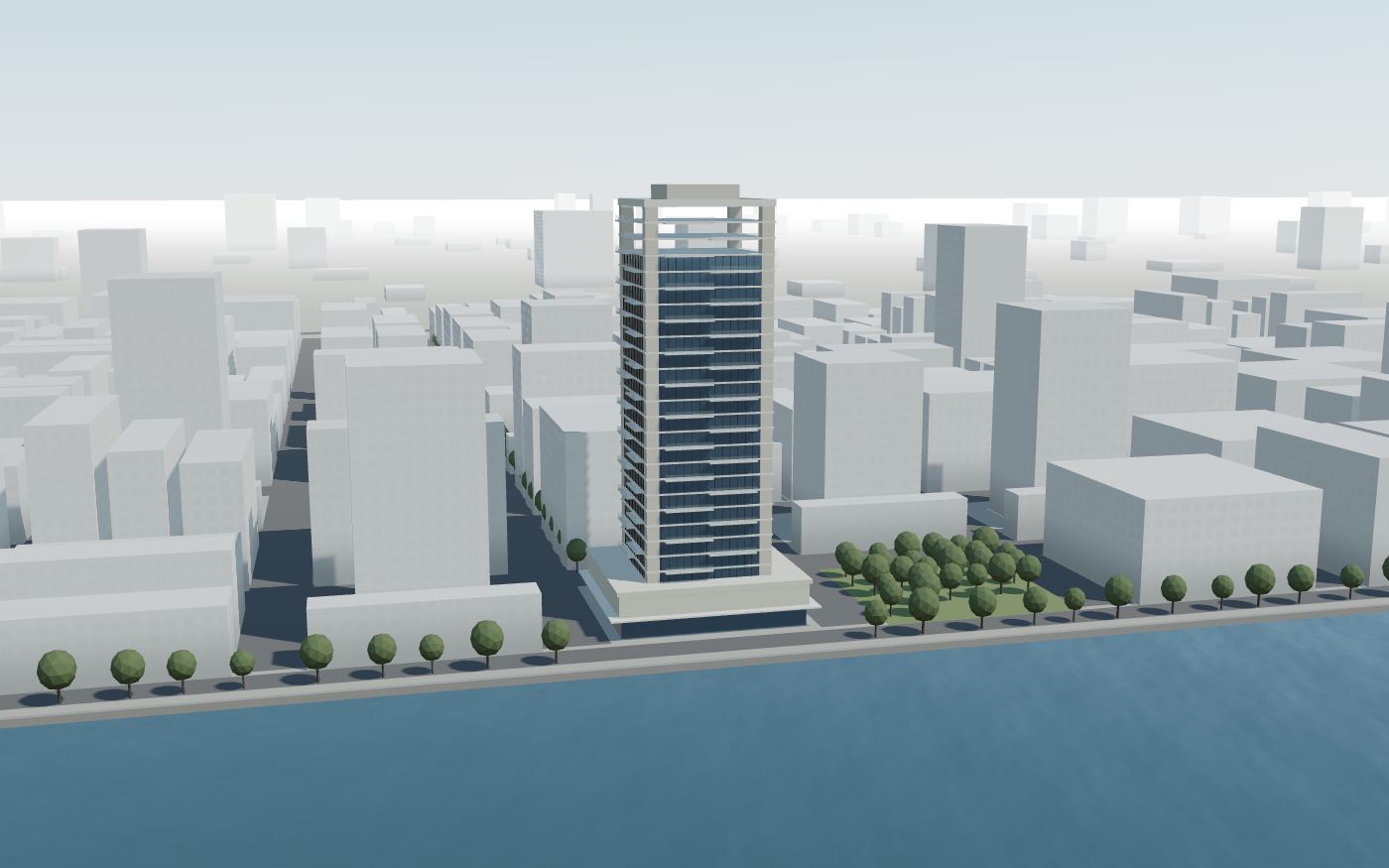 Week 8Week 32
From construction files to a link.
The same four steps I took for SEVEN Al Hamra, which went from first access to the construction models to sign-off in just under 12 weeks, by hand.
- 01 →
Files and the unit schedule
Your Revit, IFC or Navisworks models, the unit schedule and the site. We agree which tools launch first and the date they must be live.
- 02 →
Strip, light, place
Keep what buyers see, leave out what they never will. For SEVEN I left out 758 hidden objects, cable trays and ducts among them. Then materials, light and the real site around it.
- 03 →
Build the tools
Stack, plans, views, sun and tour, wired to your sales sheet or CRM so status never goes stale. You test on the weakest phone your buyers use.
- 04
Launch and hand over
Live on your site, in the sales suite and in agents’ hands, with enquiries tagged by unit. Plain files your team or your agency can keep running.
A building you could walk through before it opened.
SEVEN Al Hamra is the flagship entertainment destination of SEVEN in Riyadh. Its 3D portal wanted every destination as a walkable replica built exactly from its own construction BIM, not an artist’s impression. I took the Revit, IFC and Navisworks models through Blender into Unity and out to Android, a ROG Ally handheld and the browser. It was signed off as the first of six destinations.
- Construction models inRevit, IFC, Navisworks
- The block-out model alone650 MB
- Canopy in the source model43 m triangles
- Drawn at once in the browser today~700,000
- Browser download74 MB
- First access to sign-off< 12 weeks
- SEVEN Al Hamra case studyThe pipeline step by step, with a before and after slider
- Walk through itThe replica, live in your browser
- Building product configuratorTap any part of a building for the products, spec and quantities
- What a 3D virtual tour costs360 photo, scanned and real-time 3D compared
- What a digital twin costsBuild, run and payback, line by line
- Tokenising real estateHow property becomes a digital asset
- Industrial 3D and webThe same craft for equipment makers
Sun hours for any window.
Pick a city, the way the window faces, the floor and what stands across the street. You get the hours of direct sun on that window through the year, on clear days. Useful for a sales sheet, a planning conversation or choosing a flat.
| Day | Sunrise to sunset | Direct sun |
|---|
tan(altitude) > (H − h) × cos(Δ) / D, where H is that building’s height, h the window’s height, D the distance and Δ the angle between the sun and the way the window faces. Clear sky assumed: this is geometry, not weather.What to bring to the first call.
- The construction models: Revit, IFC or Navisworks. SketchUp, Rhino or CAD drawings work if the BIM is not ready.
- The unit schedule as a spreadsheet: unit, floor, beds, area, price band, status.
- Where your sales status lives: a sheet, a CRM or a sales platform.
- The site address, and any drone or survey photos of it.
- Brand guidelines and the renders or films you already have.
- The launch date and where buyers will see it: website, sales suite, agents abroad.
Questions people ask.
What is BIM visualization?
BIM visualization turns the construction model, the Revit, IFC or Navisworks files the builders work from, into pictures, films or real-time 3D that people outside the project team can understand. Because it starts from the BIM, the windows, floor heights and balconies sit exactly where they will be built, so a view or a sun study from it is measured, not guessed.
How do you market an off-plan property development?
Buyers cannot visit a building that is not there yet, so off-plan property marketing has to answer their questions another way: which unit is free, what it looks like inside, what you see from it and how much sun it gets. A 3D sales tool built from the BIM answers all four in one link, on a phone, a laptop or the touch table in your sales suite, and every enquiry arrives with the unit attached.
What is an interactive site plan or availability stack?
An interactive site plan shows every plot or apartment on a map or a 3D model, coloured by status: available, reserved or sold. An availability stack does the same for a tower, floor by floor and side by side. Buyers tap a unit to see its size, aspect, view and floor plan, and the status comes from your sales sheet or CRM so it is never out of date.
What is the difference between an interactive floor plan and a real estate virtual tour?
An interactive floor plan is a drawing you can tap: rooms, sizes, furniture layouts and finishes. A real estate virtual tour lets people move through the space, either by photos and scans of a finished home or, for a building that is not built, as real-time 3D made from the drawings. Most off-plan launches need both: the plan for decisions, the tour for the feeling.
How does the apartment view simulator work?
The camera is placed at each unit's window, at its real height above the ground and facing its real direction, inside a 3D model of the site and its surroundings. In the sample above the views are real photographs from a similar height and direction, standing in for the invented site; on a real project they come from the city's 3D model, a drone survey or photographs taken from a mast at each floor height, so the view is the one the buyer will actually get.
How is the sun study calculated?
The sun's position comes from the NOAA Solar Calculator equations, which are based on Jean Meeus' Astronomical Algorithms, for the site's latitude, longitude, date and time zone. A unit counts as in direct sun when the sun is above the horizon, within 90 degrees of the facade's outward direction and not blocked: the tool casts a ray from the window toward the sun and tests it against every building in the model. The free sun-hours tool on this page uses the same equations with a simpler street model.
Do you replace a construction marketing agency or architectural rendering services?
No. A construction marketing agency runs the brand, the campaign and the leads; rendering studios make the stills and films. I build the interactive layer that sits between them and your sales team: the availability stack, the floor plans, the view and sun tool and the virtual tour, from the same model the renders come from. I work alongside your agency and studio, or bring them in.
How much does a real estate virtual tour cost?
A scanned tour of a finished home is listed from $319 by HomeJab for up to 4,000 sq ft in most of the US, and Matterport's Professional plan is $108 a month for 10 tours. A 360 photo tour can be a $549.99 camera and free software. A real-time 3D tool for a building that does not exist yet is quoted per project, because every building is different; the price depends on the model, the number of unit types and which tools you need.
What files do you need to start?
The construction models, as Revit, IFC or Navisworks files, or SketchUp, Rhino or CAD drawings if the BIM is not ready. A unit schedule as a spreadsheet: unit number, floor, beds, area, price band and status. The site address, your brand guidelines, any renders you already have and a date for launch.
- A scanned Matterport-style tour of a finished home: $319 up to 4,000 sq ft in most of the US (HomeJab).
- Matterport’s Professional plan: $108 a month for 10 tours (Matterport).
- A 360 camera for photo tours: the Insta360 X5 lists at $549.99 (Insta360).
- A BIM model from a laser scan at LOD 300: $1.50 to $3.50 per sq ft (The Future 3D, March 2026). If you already have the BIM, you skip it.
Checked in October 2026 for my notes on virtual tour cost and digital twin cost. I price each project after a first call.
- 30-minute call. Your building, your buyers, your launch date.
- A written plan in 48 hours. Which tools first, what they need from your files, how long, the risks.
- Start, or not. Use the plan with your team, your agency or me. I reply to every email within one working day.
Selling off-plan homes in Egypt? Try the AI property guide: buyers walk a villa, twin house, townhouse, apartment or chalet, ask in English or Egyptian Arabic, and the home shows the answer.