Case study · Riyadh · BIM to real-time 3D
SEVEN Al Hamra: a building you could walk through before it was built
Client
I turned SEVEN’s construction models for Al Hamra, its flagship entertainment destination in Riyadh, into a real-time 3D building you can walk through.
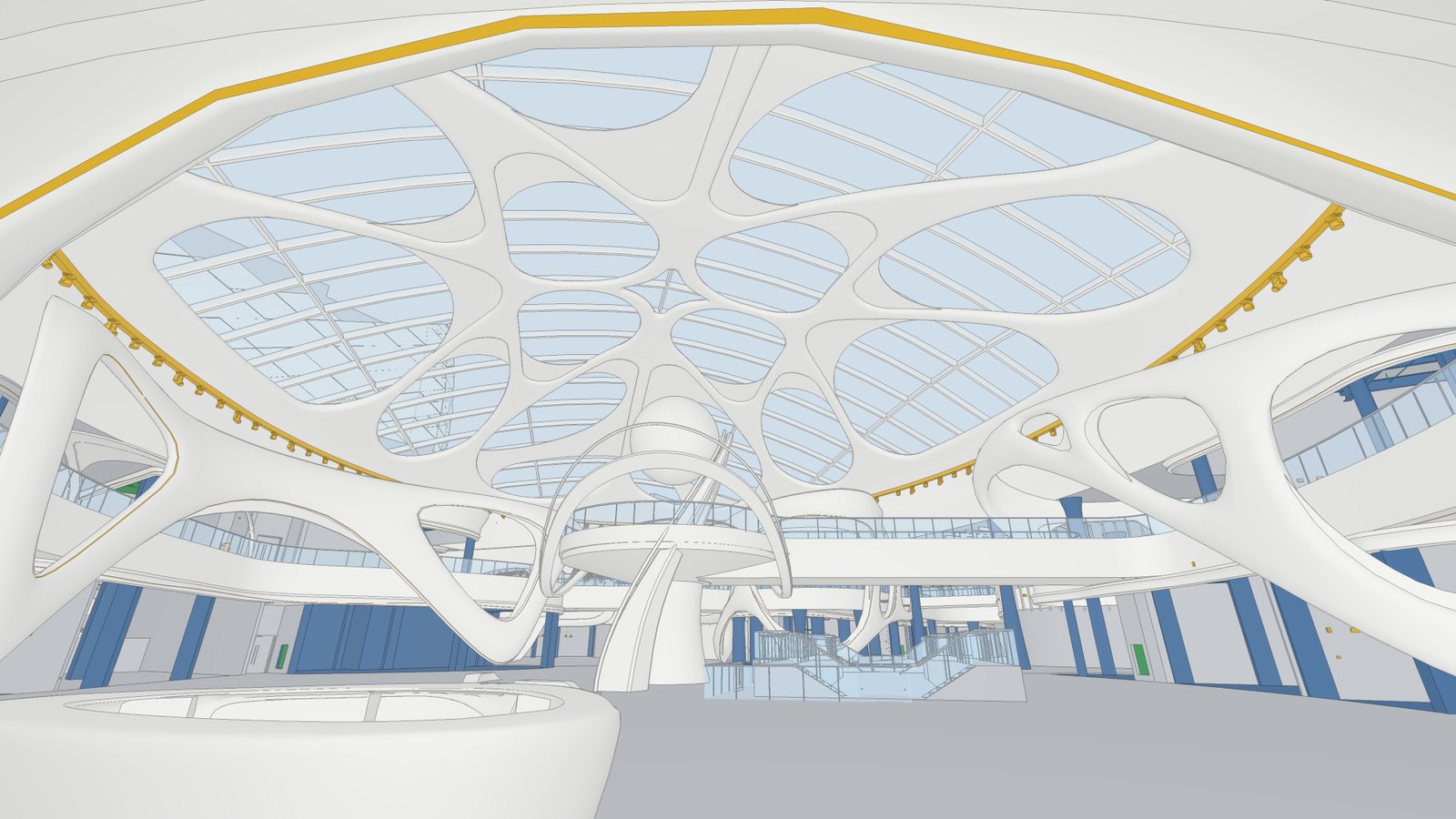 Construction model (BIM)
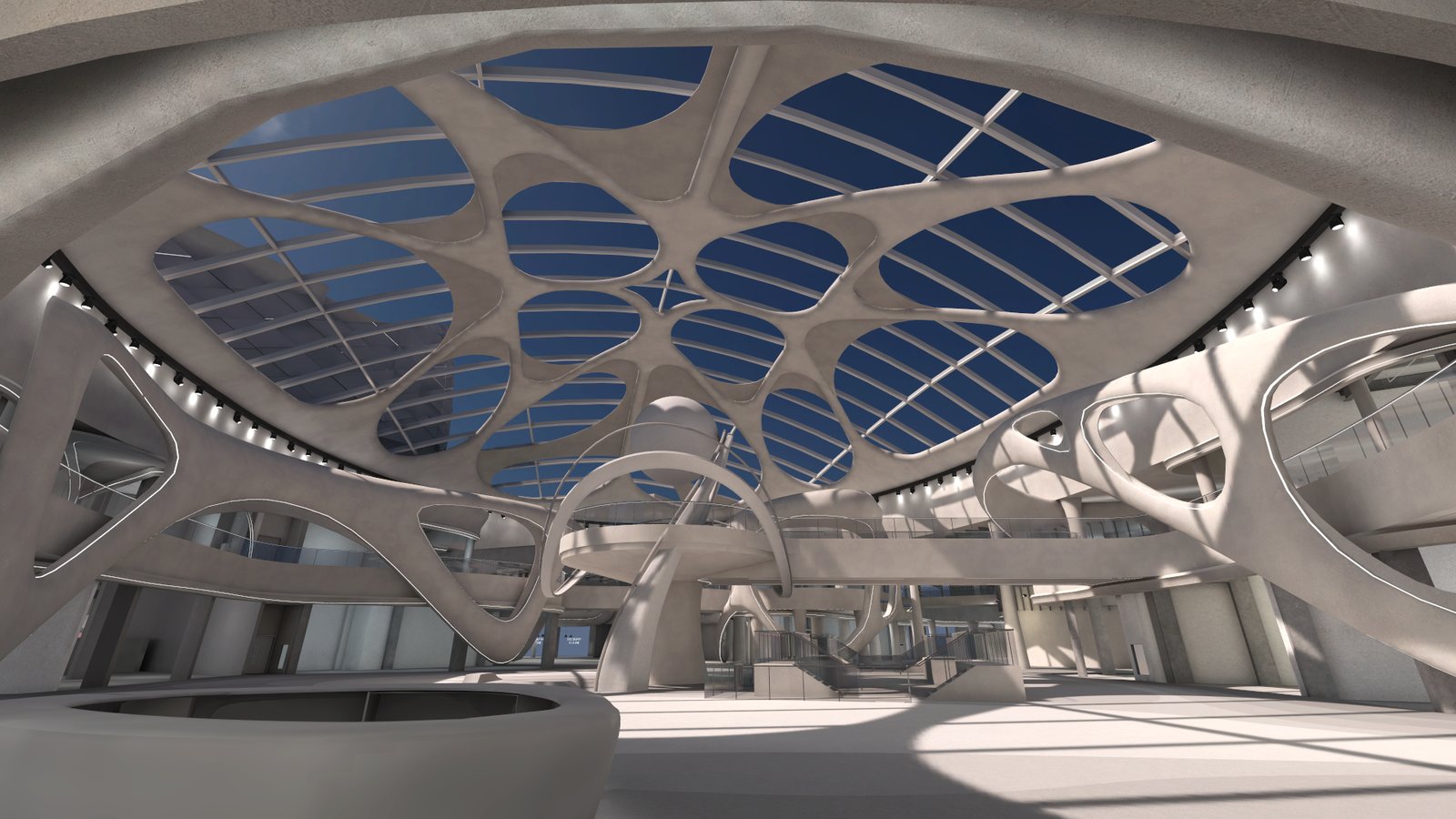 Real-time build
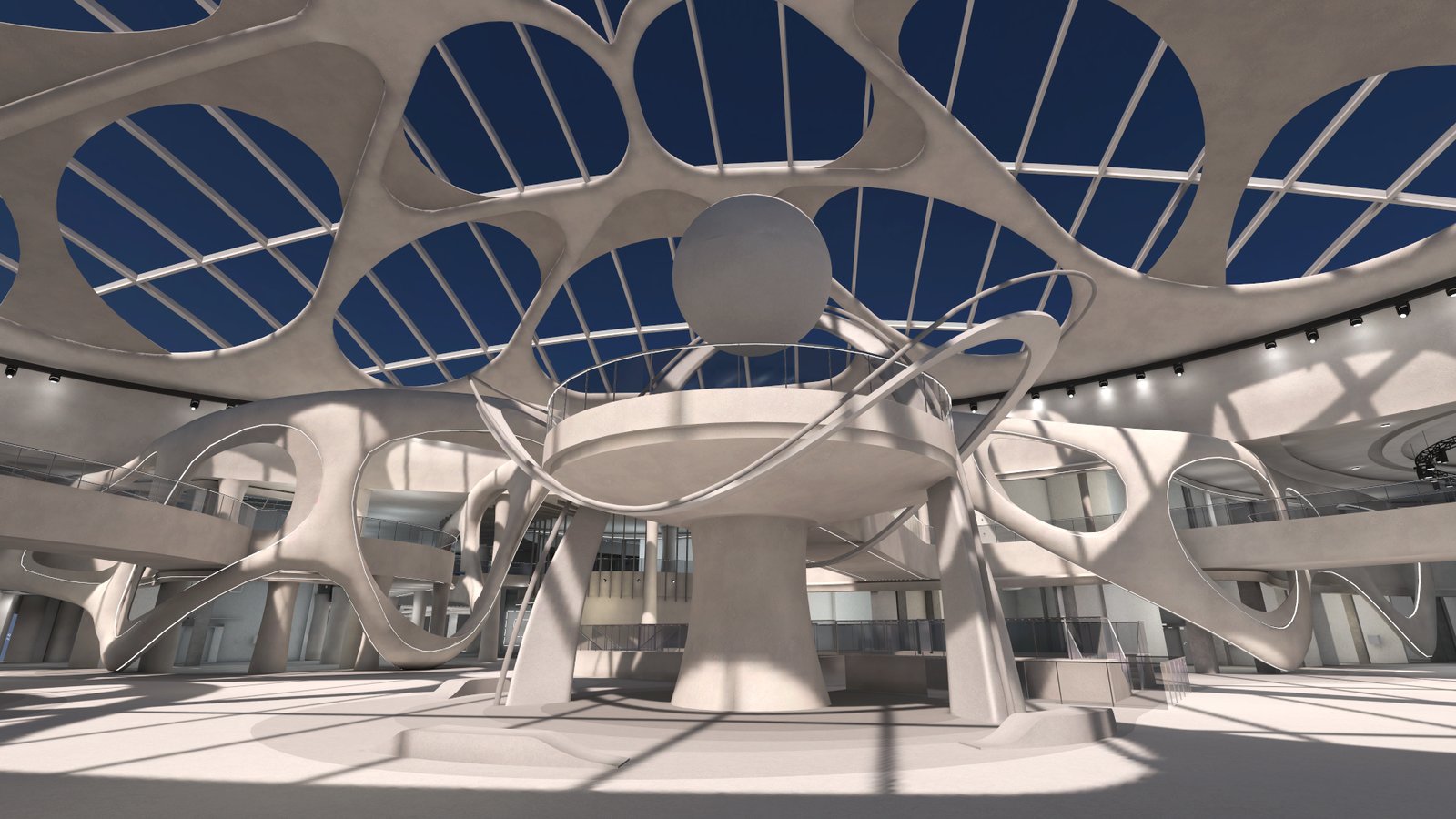
The main atrium, under the white canopy.
The venue was still a construction site, so this let people explore it floor by floor, by day and by night, long before it opens. SEVEN signed it off as the first of six destinations for its 3D portal, and it now runs in a browser.
- Client
- SEVEN (Saudi Entertainment Ventures)
- Venue
- Al Hamra, Riyadh
- Built
- About 12 weeks, by hand
- Runs on
- Android, ROG Ally, web browser
The brief
SEVEN (Saudi Entertainment Ventures) is building entertainment destinations across Saudi Arabia. Al Hamra, at Exit 10 on Riyadh’s Eastern Ring Road, is the flagship: bowling, cinema, a family entertainment centre, a lifestyle club and public space, opening soon.
SEVEN’s 3D portal programme, run with Globant, wanted every destination as a walkable 3D replica built exactly from SEVEN’s own construction BIM: the same Revit, IFC and Navisworks models the project team was building from. Not an artist’s impression, the real building, so people could explore something that did not exist yet.
Visitors had to be able to:
- pick a floor
- browse the retail and food units
- switch between top view and first-person view
- go straight to the entrance
- toggle day and night
Al Hamra was destination 1 of 6, with Abha, Tabuk, Yanbu, Madinah and Jazan to follow. It also had to run on ordinary hardware, not a studio workstation.
What I did
- First access
Got access to the construction models: architecture, structure, mechanical, electrical, plumbing, fire, interiors and theming, across Revit, IFC and Navisworks files.
- Set-up
A week in, created the Unity project and imported the 650 MB block-out model.
- The pipeline
Converted the BIM to FBX, optimised it in Blender, and assembled it in Unity 2022.3 with the Universal Render Pipeline.
- First build
Shipped the first Android build, about four weeks in.
- Canopy change
Worked in the decorative canopy change: a white organic canopy of about 43 million triangles in the source model.
- Detail pass
A detailed rebuild: baked day and night lightmaps, reflection probes, a day and night switch, a free-fly camera, and the web build.
- Sign-off
Ran it on a ROG Ally handheld. A week later it was signed off and demoed on SEVEN’s 3D portal, just under 12 weeks after first access.
How it works
Follow the building from construction file to browser. Select each stage to see what happens to it on the way.
Built before AI coding tools and MCP, every step by hand
Step 01 of 06 · First access
Start from the real construction models
- What happened
- BIM models are the 3D plans builders work from. SEVEN shared theirs for Al Hamra: Revit, IFC and Navisworks files. Each discipline has its own model: architecture, structure, mechanical, electrical, plumbing and fire, plus interior design and theming. SEVEN’s 3D portal, run with Globant, wanted the destination built exactly from these files.
- The number
- 6disciplines in one set of models, from walls and beams to sprinklers.
- Why it matters to you
- The 3D world is measured from the same files as the real building, so what people explore is what will open, not an artist’s guess.
Step 02 of 06 · Counts from the public web version
Keep what visitors see, leave out what is hidden
- In the build
- about 2,000
- Left out
- 758
This is the web version: everything you can see, nothing you cannot.
Left out includes 2 leftover items that belong to no layer.
Switch a layer on or off to see it in the drawing. Faint parts are left out.
What visitors see
Hidden in ceilings, walls and floors
- What happened
- Construction models hold everything builders need, including what sits inside ceilings, walls and floors: cables, air ducts, water pipes, sprinklers. Visitors never see these, but a computer would still have to load and draw them. So every object is sorted by discipline: what you can see stays, what you cannot is left out.
- The number
- 758hidden objects left out of the web version, 368 of them electrical, such as cable trays.
- Why it matters to you
- A lighter world that still looks complete, so it loads faster and runs on ordinary computers.
Step 03 of 06 · The heavy lifting
Make it light enough for ordinary hardware
- What happened
- Construction files are not made for real-time 3D. Every 3D shape is built from small flat triangles, and the computer redraws them many times a second. I exported the models to FBX, a common 3D format, and cleaned them up in Blender: merging parts, cutting needless detail, fixing surfaces. The first block-out model alone was 650 MB, and the white organic canopy added partway through was about 43 million triangles in the source.
- The number
- 43 milliontriangles in the canopy source. In the browser today the whole building draws about 700,000 at once.
- Why it matters to you
- The building keeps its look while becoming light enough for a phone, a handheld and a web browser.
Step 04 of 06 · Through to sign-off
Put it together in Unity and light it
- What happened
- In Unity 2022.3 with the Universal Render Pipeline, I added the materials and baked the lighting: light and shadows are worked out once, ahead of time, and saved into the scene, so the device does not have to. There are two full sets, day and night, with a switch between them, reflection probes for glass and polished floors, and a free-fly camera to move anywhere.
- The number
- 2complete lighting setups, day and night, swapped with one button.
- Why it matters to you
- Realistic light without a powerful graphics card, and the same building can be shown at noon or after dark.
Step 05 of 06 · First build to sign-off
One project, every screen
- What happened
- The same project was built three ways: for Android phones (first build about four weeks in), for the web (WebGL, in the detail pass) and for Windows on a ROG Ally handheld (running a week before sign-off). Just under 12 weeks after first access it was signed off as the first destination complete and demoed on SEVEN’s 3D portal.
- The number
- 1 of 6destinations, and the first signed off. Abha, Tabuk, Yanbu, Madinah and Jazan were next.
- Why it matters to you
- One project serves every screen, so work done once shows up on a phone, a handheld and the web.
Rebuilt for the web
Step 06 of 06 · Rebuilt for the web
Rebuilt so anyone can walk through it
- What happened
- I have since rebuilt the project in Unity 6 so it lives on tawfik.tv for good. Move with WASD or the arrow keys, Q and E to go down and up, Shift to go faster, drag to look, and switch between day and night. On phones a short video plays first and the 3D loads when you ask for it.
- The number
- 74 MBdownload. About 700,000 triangles drawn at once, at 60 fps on a laptop graphics chip.
- Why it matters to you
- Proof you can open yourself: a real construction project running in an ordinary web browser, with nothing to install.
Built from SEVEN’s construction models for SEVEN Al Hamra, Riyadh, the first destination on SEVEN’s 3D portal. Object counts are from the public web version.
Before AI coding tools · every step by hand
Built before AI
This was before AI coding tools and MCP. I did every conversion, every optimisation pass, every lightmap bake and every build by hand, which meant knowing BIM, Blender and Unity well enough to get a 650 MB construction model running on a handheld. It took just under 12 weeks from first access to sign-off.
The result
- Signed off just under 12 weeks after first access, as the first destination complete, and demoed on SEVEN’s 3D portal.
- Destination 1 of 6 in the programme.
- Runs on Android, on a ROG Ally handheld and in a browser.
- I have since rebuilt it in Unity 6 so it lives permanently at tawfik.tv/worlds/rvt: a 74 MB download, about 700,000 triangles drawn at once, and 60 fps on a laptop GPU.
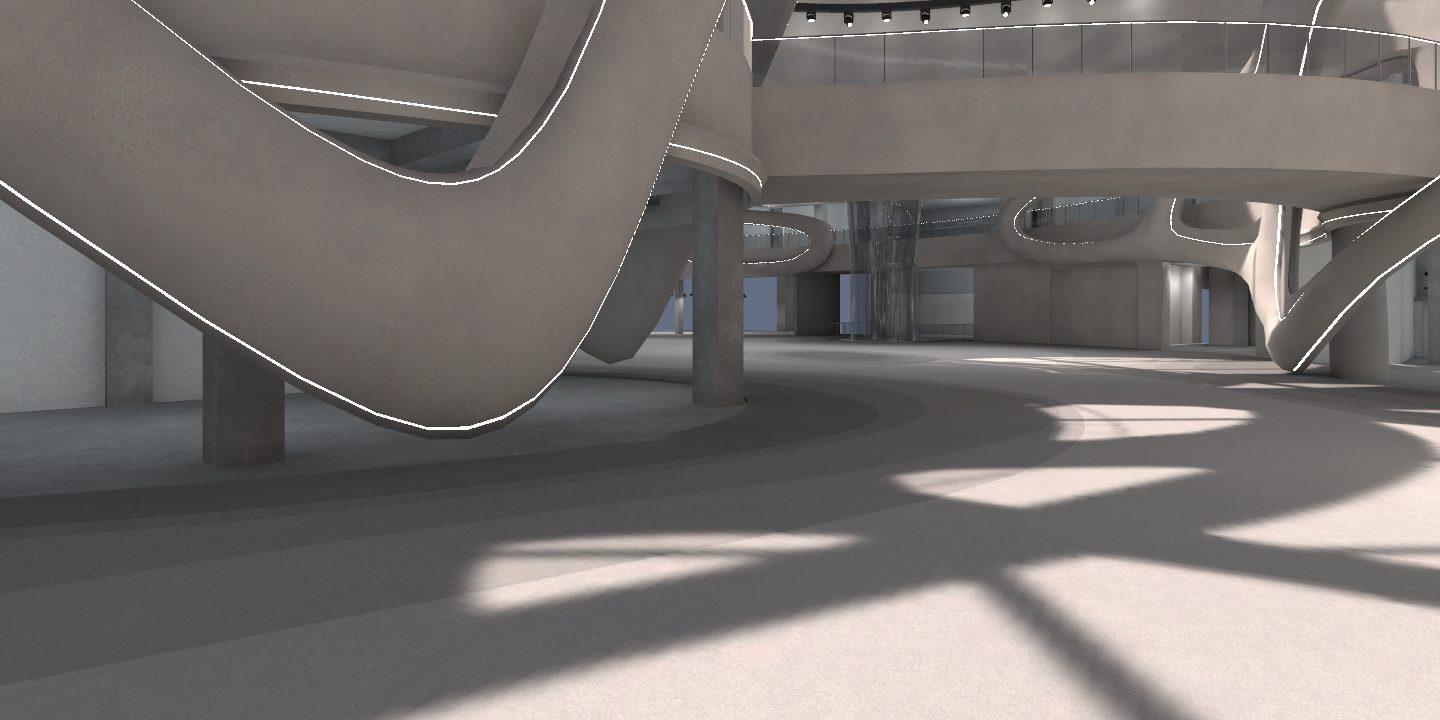
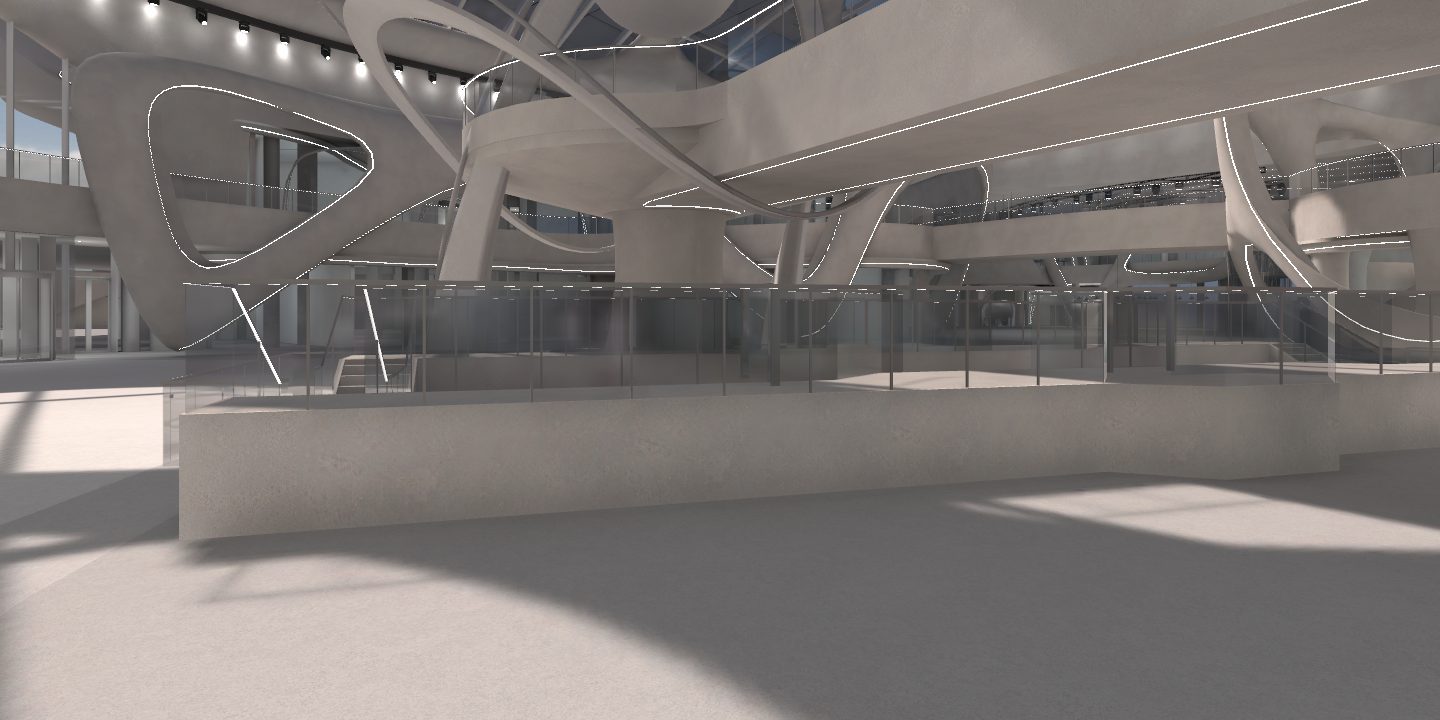
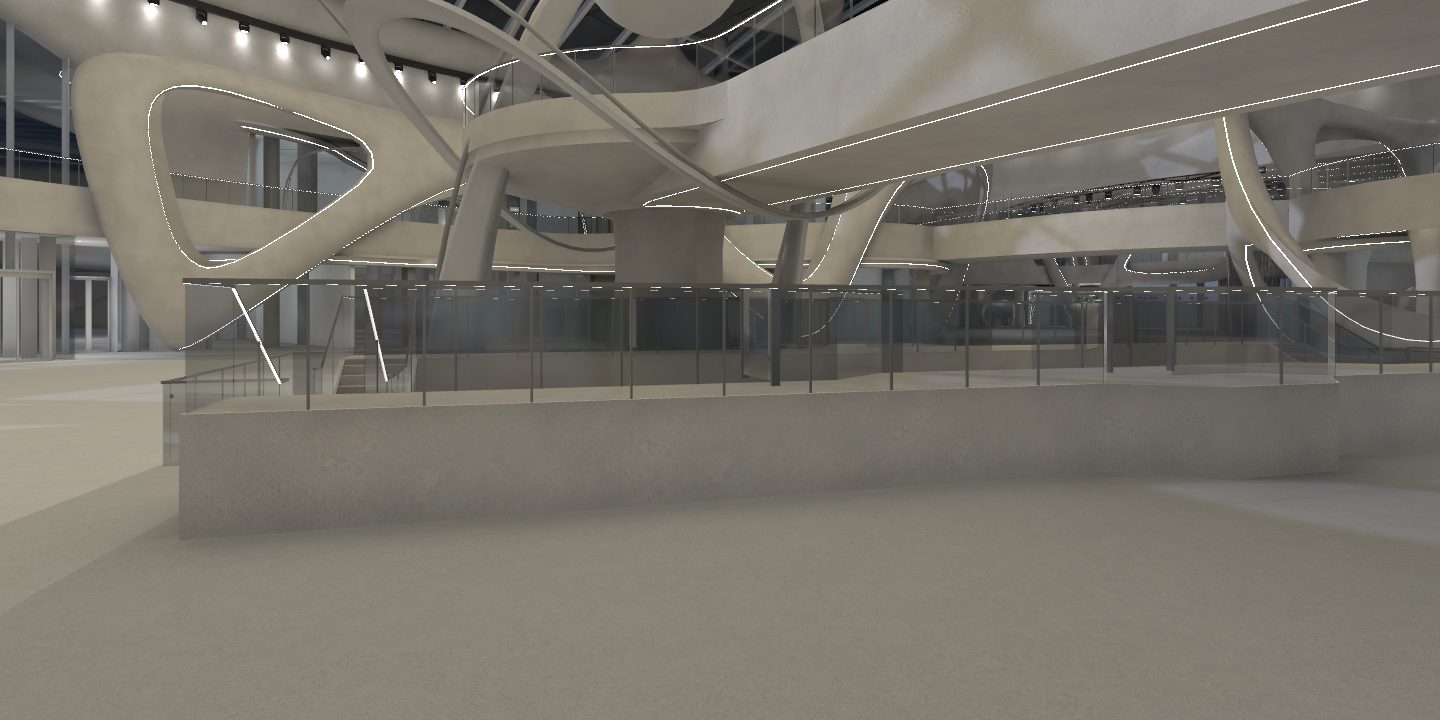
For the public version I kept what visitors see, the architecture and structure plus about 1,780 interior, facade, escalator, glass and lighting objects, and left out 758 objects, almost all of them services visitors never see: cable trays, ducts, plumbing, sprinkler pipes, plant units and emergency lights.
Walk it now: WASD or the arrow keys to move, Q and E to go down and up, Shift to go faster, R to reset, drag to look, and Day or Night to change the light. On a phone it shows a video first and loads the 3D when you ask.
From BIM to the browser: how construction drawings become a walkable building
You export the BIM model from a prepared 3D view, strip and simplify it, give it real materials and baked light in a game engine, then publish a compressed WebGL build that opens from a link on a laptop or a phone. That is the route I took for SEVEN Al Hamra, by hand, before AI coding tools.
The files at the start are standard. IFC, the open BIM exchange format, was published by ISO in 2024 as ISO 16739-1:2024, and Autodesk publishes Revit’s IFC exporter as open source. Game engines do not read those files as they are: Unity imports FBX natively and recommends it, and Unreal Engine takes Revit through Epic’s Datasmith exporter. Everything in between is the work.
Step through the pipeline below. Every step has a switch that skips it, so you can see what breaks, and the last step adds up the damage.
BIM to browser · seven steps · skip one to see what breaks
Step 01 of 07 · Revit, IFC, Navisworks
Prepare the BIM model
- What happens
- Open the Revit model and set up one 3D view that shows only what visitors should see: architecture, structure, interiors and facade. Hide the services in ceilings, walls and floors. Both Revit’s FBX export and Epic’s Datasmith exporter work from a 3D view, and Datasmith uses that view’s visibility settings to decide what goes in.
- If you skip it
- Every cable tray, air duct and sprinkler pipe rides along into the 3D. On Al Hamra the web version leaves out 758 objects like these that no visitor would ever see.
- On Al Hamra
- Revit, IFC and Navisworks models across architecture, structure, mechanical, electrical, plumbing and fire, plus interiors and theming.
Step 02 of 07 · FBX, IFC or Datasmith
Export to a format the engine reads
FBX · for Unity
Built into Revit: open a 3D view, then File, Export, FBX. Unity imports FBX natively. Revit’s Use LOD option decides how curves come out: cleared gives a more faceted, smaller file, selected gives a smoother, larger one (Autodesk).
IFC · the open standard
The ISO format for BIM data, which keeps each object’s type and properties. Revit’s IFC exporter is open source. Unity’s native formats are FBX, DAE, DXF and OBJ, so an IFC file needs converting before Unity can use it.
Datasmith · for Unreal Engine
Epic’s Datasmith Exporter plugin for Revit writes a .udatasmith file plus an _Assets folder, which Unreal imports with Datasmith. It exports what the active 3D view shows (Epic).
- What happens
- The BIM leaves the design tool as plain 3D geometry the engine can load. Pick the format by where it is going: FBX for Unity, Datasmith for Unreal, IFC when the data has to stay open.
- If you skip it
- Export on defaults and the choices are made for you: a curved canopy comes out faceted or far heavier than it needs to be, and an IFC sent straight to Unity will not open without a converter.
- On Al Hamra
- FBX, into Blender, then into Unity.
Step 03 of 07 · Merge, cut, decimate
Clean up and cut the triangles
- Triangles
- 43,000,000
- Rough memory
- 1.2 GB
- vs live building
- 61×
On its own, about 61 times the triangles the whole live building draws at once.
Illustrative. The 43 million canopy source and the 700,000 live figure are real; the steps between and the memory estimate (about 28 bytes a triangle) are not project measurements.
- What happens
- In Blender: merge parts, delete what is hidden, fix broken surfaces, and reduce triangles where nobody will notice. Every 3D shape is made of small flat triangles, redrawn many times a second, so fewer triangles means a smoother walk on a phone.
- If you skip it
- The decorative canopy ships at 43 million triangles, its size in the source model. The whole building in the browser today draws about 700,000 at once.
- On Al Hamra
- The first block-out model alone was 650 MB. The live web version draws about 700,000 triangles at once.
Step 04 of 07 · Baked day and night
Add materials and bake the light
- What happens
- Swap the BIM colour codes for real materials, glass, stone and polished floors, and bake the light: light and shadows are worked out once, ahead of time, and saved into the scene, so the phone does not have to.
- If you skip it
- It still looks like a construction drawing, with structure in blue and lighting fixtures in yellow. Lighting it live instead makes every frame more work for the device.
- On Al Hamra
- Two baked lighting sets, day and night, a switch between them, and reflection probes for glass and polished floors.
Step 05 of 07 · Make it walkable
Assemble it in Unity
- What happens
- Put the building together in Unity and add what turns a model into a walkthrough: first-person and top views, a floor picker, a jump to the entrance, the day and night switch and a free-fly camera.
- If you skip it
- All you can do is spin a model around. Buyers, tenants and investors need floors, units and a way in.
- On Al Hamra
- Unity 2022.3 with the Universal Render Pipeline, one project built for Android, Windows and the web. I have since rebuilt it in Unity 6 for tawfik.tv.
Step 06 of 07 · Brotli compressed
Build for WebGL and compress it
GET /Build/web.data.br
HTTP/2 200
Content-Type: application/octet-stream
Content-Encoding: br
Smallest files, and the browser decompresses them natively.
- What happens
- Unity builds the project for the web and compresses it. Unity’s docs: Brotli gives the smallest files but takes longer to build, gzip is bigger and faster, and Chrome and Firefox only decompress Brotli natively over HTTPS. The server has to send a Content-Encoding header so the browser knows what it is getting.
- If you skip it
- Publish the development build and visitors download it uncompressed: Unity only compresses release builds.
- On Al Hamra
- The live web build is a 74 MB download.
Step 07 of 07 · Opens from a link
Open it on a phone or in a browser
- What happens
- The build runs in browsers with WebGL 2 and WebAssembly. Unity lists iOS Safari 15 and newer, and Chrome 58 and newer on Android. On phones I play a short video first and load the 3D only when the visitor asks for it.
- If you skip it
- A 74 MB download starts on mobile data before anyone asked for it.
- On Al Hamra
- 74 MB, about 700,000 triangles drawn at once, 60 fps on a laptop graphics chip. Walk through it.
Your build
- RunsAll seven steps done: it opens from a link on a laptop or a phone.
Built from SEVEN Al Hamra, Riyadh. Figures marked as Al Hamra are from the project and the public web version; the step 03 slider is illustrative.
Revit to Unity, Revit to Unreal, or straight to WebGL?
Revit to Unity: export FBX from a 3D view, clean it up in Blender, import it into Unity. That is the Al Hamra route, and one Unity project then built for Android, Windows and the browser.
Revit to Unreal: install Epic’s Datasmith Exporter for Revit, open the 3D view you want, export a .udatasmith file and import it into Unreal with Datasmith. Unreal gives more visual headroom, and its usual way into a browser is Pixel Streaming, which needs a cloud GPU per viewer (the cost is in the FAQ below).
Revit to WebGL: this is the end of the Unity route. Al Hamra had to run on phones, a handheld and in a browser, so a Unity WebGL build from one project was the fit. I compare these routes for stores, shows and venues in Virtual stores, live shows and 3D worlds people actually use.
Do you need an online IFC viewer, or a walkable building?
If you only need to check an IFC file, an online IFC viewer does the job. Open-source libraries such as That Open Company’s web-ifc read IFC directly in the browser through WebAssembly, so you can orbit the model, hide disciplines and click an object to read its properties.
What you see there is the model as drawn: every duct included, colour codes, no materials and no light. A real estate 3D walkthrough is the same data after the steps above, made for people who are not engineers: buyers, tenants, investors and the public.
What is a digital twin for property developers?
The Digital Twin Consortium defines a digital twin as “a virtual representation of real-world entities and processes, synchronized at a specified frequency and fidelity”.
For a property developer, the useful version before opening day is a walkable 3D copy built from the construction models and kept in step with design changes. On Al Hamra that meant working in the decorative canopy change partway through, so the 3D stayed true to what will open. It does three jobs before anything is finished:
- Leasing: tenants pick a floor and look at the actual units.
- Pre-opening marketing: anyone can open it from a link, with nothing to install.
- Design reviews: people walk a space instead of reading a section drawing.
Once the building opens, the same model is the base you connect live data to, such as occupancy or energy, which is the “synchronized” half of the definition.
If you have the BIM and want it walkable, see 3D web experiences or write to m@tawfik.tv.
FAQ
Can you turn BIM into a walkable 3D model?
Yes. I turned SEVEN’s Revit, IFC and Navisworks construction models for Al Hamra into a real-time building you can walk through.
Does it need a headset?
No. It runs on ordinary hardware: Android, a handheld like the ROG Ally, a Windows PC or a web browser.
Can it run in a browser?
Yes. The live version at tawfik.tv/worlds/rvt is a 74 MB download and runs at 60 fps on a laptop GPU.
What do you need from us to start?
Access to your construction models (Revit, IFC or Navisworks) and a short list of what visitors should be able to do, such as floors, units, views and day and night.
What is a digital twin of a building?
A real-time 3D copy built from the same models the builders use, accurate enough to plan, lease and market a venue before it opens. SEVEN Al Hamra is one: an interactive 3D walkthrough of a building that was still under construction.
Is this the same as a virtual tour or architectural visualisation?
It goes further. A virtual tour or an architectural visualisation render shows fixed views. This is real-time 3D: people walk anywhere, pick a floor and switch between day and night, on a laptop, a phone, a handheld or in a browser.
Can a 3D walkthrough help lease units or market a mall before it opens?
Yes. Visitors could pick a floor and browse the retail and food units in 3D, which is how a 3D portal supports leasing and pre-opening marketing for a mall, a venue or a mixed-use development.
Unity or Unreal Engine?
Both work. I used Unity here for reach: one project shipped to Android, Windows and WebGL in the browser. Unreal Engine suits high-end visuals and Pixel Streaming, where the 3D is rendered on servers and streamed to the viewer, but every viewer needs their own cloud GPU at about $0.53 an hour on AWS, so 1,000 people at once costs roughly $526 an hour. A browser build like this one is a single download per visitor.
Can Revit export straight to Unity?
Revit exports a 3D view to FBX, and Unity imports FBX natively. The export still carries everything that view shows, so the model needs sorting, simplifying and lighting before it runs well on a phone or in a browser.
How do you get a Revit model into Unreal Engine?
With Epic’s Datasmith Exporter plugin for Revit: open the 3D view you want, export a .udatasmith file, and import it into Unreal with Datasmith. The plugin uses that view’s visibility settings to decide what goes in.
Can I view an IFC file online?
Yes. Open-source libraries such as web-ifc read IFC files in the browser, and online IFC viewers are built on them. They show the model as drawn; a walkable building needs the clean-up, materials and lighting steps on top.
Why does a Unity WebGL build need HTTPS and the right headers?
Unity’s smallest build uses Brotli compression, which Chrome and Firefox only decompress natively over HTTPS, and the server has to send a Content-Encoding header. Without the header, Unity’s decompression fallback still works, with a larger loader and a slower load.
Want one for your project?
If you are developing a building, running a mall or a venue, opening stores or planning an event, I can turn your BIM into a digital twin people walk through: an interactive 3D walkthrough or virtual tour that runs on a laptop, a handheld or in a browser, before it is built. It works for leasing, pre-opening marketing and design reviews.
Email m@tawfik.tv with what you have and what people should be able to do in it.