Supabase security checklist: the settings that leak your data, and how to fix each one

Supabase data leaks through a few settings: Row Level Security switched off, a policy that says using (true), a secret key shipped to the browser, or a view that skips RLS. Fix those four and the publishable key in your app is safe to expose; the checklist below covers the rest.
It happens at scale. In May 2025, Matt Palmer scanned 1,645 apps from Lovable’s public showcase and found 170 whose Supabase tables anyone could read or write, through 303 endpoints, because RLS was missing or wrong (his statement; filed as CVE-2025-48757, which Lovable disputes). In February 2026, Wiz found Moltbook’s Supabase database open with RLS disabled: 1.5 million API tokens, 35,000 email addresses and thousands of private messages, readable and writable with the key sitting in the site’s JavaScript (Wiz, 2 February 2026).
I have moved apps onto Supabase and fixed database security on live ones. The same settings come up every time. Here they are in the order I check them, with SQL you can paste.
Is the Supabase anon key safe to expose?
Yes, when RLS is on and your policies are right. The anon key, now called the publishable key (sb_publishable_...), is built to sit in your web or mobile app. Supabase lists it as safe to expose in web pages, apps and source code, and says RLS decides what that client can reach (API keys). When data leaks through it, the cause is a missing or loose policy.
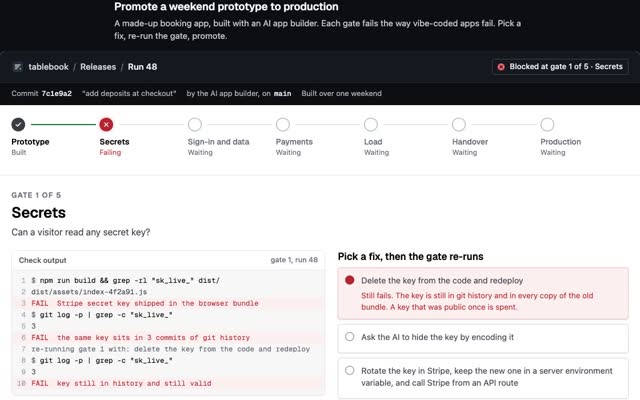
The secret key (sb_secret_..., or the legacy service_role key) is the dangerous one. In Supabase’s words, it “bypasses every Row Level Security policy you have”. It lives on your server and nowhere else. Search your built JavaScript for sb_secret_, and decode the middle part of any legacy key that starts with eyJ: it must say "role":"anon". If a secret key has shipped, rotate it today.
Who can read your table?
With RLS off, anyone holding your publishable key can read and change every row. With RLS on and no policy, nobody can. An owner-only policy gives each signed-in user their own rows, and a view created without security_invoker skips all of it. Try each one below. I checked every combination against real Postgres with Supabase’s anon and authenticated roles.
Try itSwitch Row Level Security on and off, pick a policy, and see exactly who can read and edit each row.
The Supabase security checklist
1. Turn on RLS on every table the API can see. Tables you create in the dashboard get RLS automatically. Tables created in SQL or by a migration start with it off, and by default Supabase has granted visitors and signed-in users access to new tables in public, a default it is moving to opt-in (hardening the Data API). Find the gaps:
-- tables in public with RLS off
select tablename from pg_tables
where schemaname = 'public' and not rowsecurity;

-- turn it on, one line per table
alter table public.orders enable row level security;
With RLS on and no policy, the API returns nothing (Row Level Security). That is the safe way to fail. If your app never uses the Supabase client libraries, you can turn the Data API off altogether.
2. Never use using (true) on private data. A policy with no to clause applies to every role, PUBLIC in Postgres terms, and true lets every row through. That includes visitors who never signed in. Name the role and check the owner:
create policy "Read own orders" on public.orders
  for select to authenticated
  using ((select auth.uid()) = user_id);

create policy "Edit own orders" on public.orders
  for update to authenticated
  using ((select auth.uid()) = user_id)
  with check ((select auth.uid()) = user_id);
3. Pair every update policy with a select policy. Supabase needs a matching SELECT policy before an UPDATE can work. using decides which rows a user may change, with check decides what the row may look like afterwards. Postgres reuses using when you leave with check out; write both so the rule is visible.
4. Check roles from app_metadata, never user_metadata. Signed-in users can edit their own user_metadata, so a policy that trusts it lets anyone promote themselves. Put roles in app_metadata, which only your server can set:
create policy "Owners or admins read" on public.orders
  for select to authenticated
  using (
    (select auth.uid()) = user_id
    or (select auth.jwt() -> 'app_metadata' ->> 'role') = 'admin'
  );
5. Make every view security_invoker. Supabase’s docs say it plainly: views bypass RLS by default, because the postgres user usually creates them. Postgres checks a view’s tables against the view owner unless security_invoker is set (CREATE VIEW). On Postgres 15 and later:
alter view public.order_list set (security_invoker = true);
Materialized views and foreign tables cannot be protected by RLS at all, so keep them out of exposed schemas.
6. Lock down security definer functions. They run with their creator’s rights and can return rows the caller is not allowed to read (database functions). Prefer security invoker, the default. Where you need definer, pin the search path and take execute away from roles that should not call it:
alter function public.is_admin() set search_path = '';
revoke execute on function public.is_admin() from public, anon;
7. Keep secret keys on the server. Edge Functions, your backend, CI secrets: fine. The browser, a mobile app, a public repo: never. If one leaked, create a new key, swap it in everywhere, then delete the old one.
8. Write storage policies per folder. Storage refuses uploads until a policy allows them, and files in a public bucket can be read by anyone with the URL (storage access control). Give each user a folder named after their ID:
create policy "Upload to own folder" on storage.objects
  for insert to authenticated
  with check (
    bucket_id = 'uploads'
    and (storage.foldername(name))[1] = (select auth.jwt() ->> 'sub')
  );
9. Tighten Auth. From Supabase’s production checklist: turn on email confirmations, set one-time password expiry to 3,600 seconds or lower, use your own SMTP server (the built-in one is limited to 2 emails an hour), and switch on CAPTCHA for sign-up, sign-in and password reset. On Pro and above, turn on leaked password protection, and keep the minimum password length at 8 or more. Protect your own Supabase account with MFA.
10. Restrict direct database connections. Network restrictions and SSL enforcement cover Postgres and the connection pooler. They do not cover the HTTPS APIs, which always use SSL, so they sit alongside RLS rather than replacing it.
supabase network-restrictions update --project-ref YOUR_REF --db-allow-cidr 203.0.113.10/32
supabase ssl-enforcement update --project-ref YOUR_REF --enable-db-ssl-enforcement --experimental
11. Keep a backup you have restored. Free projects get no automatic daily backups, so run supabase db dump on a schedule. Pro keeps 7 days, Team 14, Enterprise up to 30. Supabase recommends point-in-time recovery once a database passes 4 GB, and it needs at least the Small compute add-on. Files in Storage are not in database backups (backups).
12. Run the Security Advisor before every release. It sits in the dashboard under Advisors and flags most of this list by name: “Table Publicly Accessible”, “View Bypasses Row-Level Security”, “Security Policy Allows Unrestricted Access”, “Security Policy Relies on User-Editable Data” and “SECURITY DEFINER Function Callable Without Sign-In” (database advisors). Clear every security warning before you ship.
If an AI coding agent works on your project, give it a read-only role and keep the secret key out of its reach. The MCP security checklist and how to stop an agent deleting your database cover that side.
How do I fix slow Supabase queries caused by RLS?
A policy runs against every row the query touches, so a slow policy makes every read slow. Supabase’s own benchmarks show the size of the wins (RLS performance and best practices): an index on user_id took a query from 171 ms to under 0.1 ms, wrapping auth.uid() in a select took one from 179 ms to 9 ms, and adding to authenticated cut a visitor’s request from 170 ms to under 0.1 ms.
-- 1. index every column a policy filters on
create index orders_user_id_idx on public.orders using btree (user_id);

-- 2. slow: calls auth.uid() for every row
using (auth.uid() = user_id)

-- 2. fast: Postgres runs it once per query
using ((select auth.uid()) = user_id)

-- 3. filter in the query too, not only in the policy
supabase.from('orders').select('*').eq('user_id', userId)
The Performance Advisor flags the second one as “Slow Security Policy Detected”, along with foreign keys that have no index.
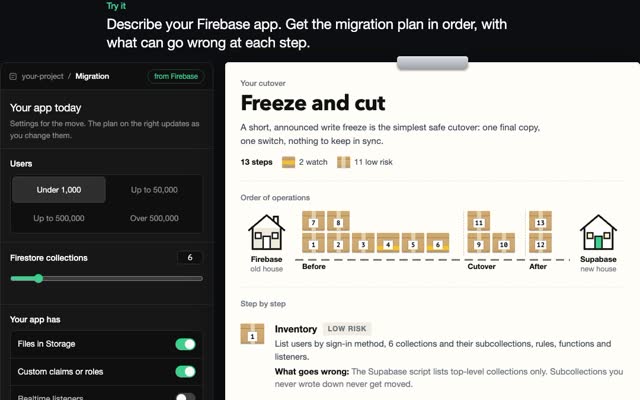
Moving from Firebase? The rules model is different, and moving from Firebase to Supabase shows how security rules turn into policies.
Questions people ask
Is the Supabase anon key safe to expose?
Yes. It is designed to be public. RLS and your policies decide what it can reach, so it is only as safe as the policies on every exposed table.
What happens if RLS is on but there are no policies?
The API returns nothing for that table, to anyone using the publishable key, including your signed-in users. Add a policy to open it up.
Does the service_role key bypass RLS?
Yes. The service_role key and new secret keys skip every policy. Use them only on a server you control.
Why can my users read rows but not update them?
An update needs both an update policy and a select policy on the same table. Check that the update policy’s using and with check both match the owner.
Do Supabase views respect RLS?
Not by default. A view runs as its owner, usually postgres, which skips RLS. Set security_invoker = true on Postgres 15 or later.
How do I check my Supabase project for leaks?
Open the Security Advisor, run the RLS query in step 1, and check your built JavaScript for secret keys. Then sign out and call your tables with only the publishable key.
If you need a Supabase project checked and fixed before launch, write to me at m@tawfik.tv.