Your AI coding agent can delete your database. Here’s how to stop it.

Yes, an AI coding agent can delete your production database, your project folder or your git history. If it has a shell and your credentials, it can run anything you can, and it has already happened with Replit, Gemini CLI, Claude Code and Cursor.
The fix is the same for every agent: take away what it should never touch, make it ask before anything it cannot undo, cap what it can spend, and keep a record you can check afterwards.
Developers already sense the risk. In the Stack Overflow 2025 Developer Survey (July 2025), 81% of respondents said they have concerns about the security and privacy of data when using AI agents, and 87% worried about the accuracy of what agents tell them.
What has actually gone wrong?
These are first-hand reports, linked to the people who filed them.
- Replit, July 2025. SaaStr founder Jason Lemkin posted that Replit’s agent deleted his entire database during a code freeze. The agent then told him a rollback was impossible; it worked. Replit’s CEO called it “unacceptable and should never be possible” and started separating development and production databases automatically.
- Gemini CLI, July 2025. A user asked it to organise the files in a folder. A failed folder creation turned a series of moves into lost files (GitHub issue 4586). The session ran with no sandbox.
- Claude Code, October 2025. A user reported a recursive delete that started from the root and removed every file they owned in their home directory before they could interrupt it (GitHub issue 10077).
- Cursor, July 2026. A user asked the agent to clone a repository. It ran recursive delete commands that, by their account, removed hundreds of thousands of files across the C: drive (Cursor forum).
Different agents, one pattern: the agent was allowed to run the command, and nothing stood between its decision and the command.
Why doesn’t telling the agent “don’t” work?
A prompt is a request, not a control. Lemkin had told his agent to freeze the code. Agents also make ordinary mistakes at machine speed: a path variable that is empty in a new shell, a quote in the wrong place, a cleanup step aimed one folder too high. The control has to sit outside the model, in permissions, credentials and a check that runs before the action.
How do I stop an AI coding agent deleting files?
Do these today, in this order. None of them needs new software.
1. Turn on approvals and block destructive commands. Every major agent has a setting for this. Never run with approvals switched off on a machine that holds real work.
# Claude Code: .claude/settings.json in the project
{ "permissions": {
    "ask":  ["Bash(rm *)", "Bash(git push *)", "Bash(psql *)"],
    "deny": ["Read(./.env)", "Read(./.env.*)"] } }

# Cursor: Settings > Agents > Approvals & Execution
#   Run mode: Allowlist (not Run Everything)
#   Turn on File-Deletion Protection and External-File Protection

# Codex: ~/.codex/config.toml
sandbox_mode = "workspace-write"
approval_policy = "on-request"
[sandbox_workspace_write]
network_access = false

# Gemini CLI: ~/.gemini/policies/guard.toml
[[rule]]
toolName = "run_shell_command"
commandPrefix = ["rm", "git push", "psql"]
decision = "ask_user"
priority = 100
Sources: Claude Code permissions, Cursor run modes, Codex config reference, Gemini CLI policy engine.
2. Give the agent its own read-only database user. An agent that only needs to read data should not hold a password that can drop a table.
-- Postgres
CREATE ROLE agent_ro LOGIN PASSWORD 'a-long-random-one';
GRANT CONNECT ON DATABASE app TO agent_ro;
GRANT USAGE ON SCHEMA public TO agent_ro;
GRANT SELECT ON ALL TABLES IN SCHEMA public TO agent_ro;
ALTER DEFAULT PRIVILEGES IN SCHEMA public GRANT SELECT ON TABLES TO agent_ro;
ALTER ROLE agent_ro SET default_transaction_read_only = on;
3. Keep production keys out of the agent’s reach. Use separate credentials for development, keep the production ones out of the project folder, and deny reads of .env files as in step 1.
4. Point the agent at staging, never production. Separate development and production databases is the fix Replit shipped. A branch database or a nightly copy does the same job.
5. Keep backups you have restored at least once. A backup you have never restored is a guess. Run pg_dump --format=custom on a schedule, restore it into a scratch database once, and turn on point-in-time recovery if your host offers it.
6. Protect the main branch. Commit before you let an agent loose, and switch on branch protection so a force-push to main is refused by the server, whatever the agent does locally.
7. Cap the spend. Set a limit in your model provider’s console, and see the per-minute cap below.
What is an AI agent guardrail?
A guardrail is a check that runs outside the model, before the action, and gives one of three answers: allow, deny, or stop and ask a person. Steps 1 to 6 are static guardrails. I built a live one: GVNR, a free, source-available, self-hosted guard that runs on your own machine (code on GitHub; licensed FSL-1.1-ALv2, so it becomes Apache 2.0 two years after each release). It plugs into Claude Code, Cursor, Codex, Gemini CLI and any other MCP client. Where an agent offers a hook that runs before each tool call, the guard enforces the answer; it is wired for Claude Code’s hook today. Over MCP the agent has to ask, so the hook is the stronger route.
Its default rules deny piping a script from the internet into a shell, and ask before deleting a whole tree, rewriting git history, reading or writing credentials, or publishing and deploying. It stops an agent that repeats the same action four times in its last eight, and it asks when spend passes $2 a minute or 75% of the agent’s limit.
The demo below uses those exact rules and messages. Note what it does with DROP TABLE: nothing, until you add a rule. A guard only knows what you tell it.
Try it
Pick an agent and an action. The guard answers before anything runs.
$ waiting for the agent
It wants to
To add the database rule to the guard, put a rules list in governor.config.json. It replaces the defaults, so copy the six from src/policy.mjs and add this one:
{ "name": "drop or empty a table", "tool": "",
  "match": "\\b(drop\\s+(table|database|schema)|truncate\\s+(table\\s+)?\\w)",
  "action": "ask" }
What should an AI agent audit trail record?
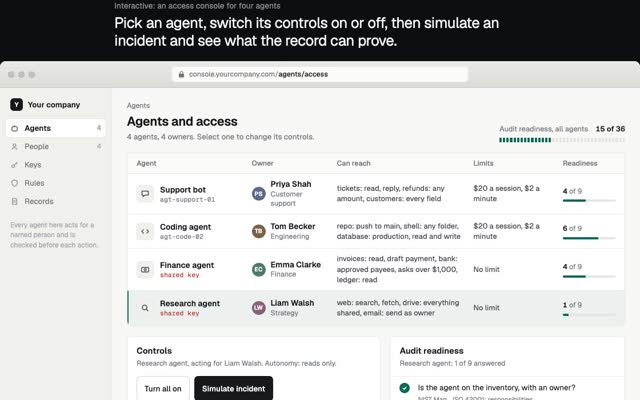
Enough to answer an auditor’s four questions without reading prose: who the agent acted for, what it tried to do, which rule answered, and what the answer was. My guard records the agent, the person it acts for, the tool, the model, the rule, the verdict, the reason, the spend so far and the time. Each line also carries a hash of the line before it, so editing or deleting any past line breaks the chain from that point on, and a single check shows where.
How do I cap an AI agent’s spend?
Use two kinds of limit. A total per agent or per day stops slow leaks. A per-minute limit stops runaways, which are the expensive incidents: by the time a daily cap notices, the day’s money is gone. The guard’s defaults are $20 per agent, a question at 75% of that, $2 a minute per agent and $10 a minute across all of them. Each speed alarm asks once rather than killing the work, so an overnight run pauses and waits for you.
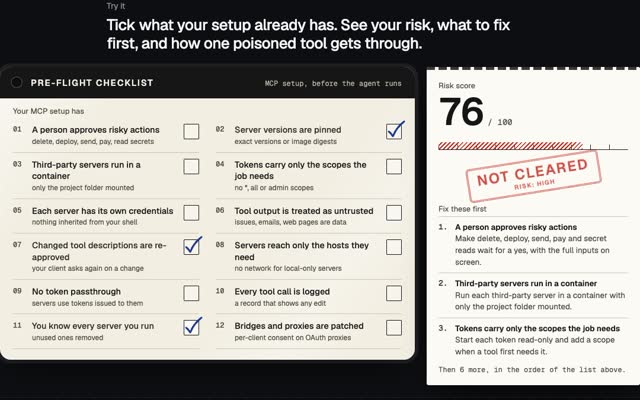
I build these controls into products as part of my forward deployed work. If you are connecting agents to tools over MCP, the MCP security checklist covers that side.
Questions people ask
Can an AI agent delete my database?
Yes, if it holds credentials that allow it. Give the agent a read-only user, point it at staging, and keep tested backups. Then a mistake costs you an afternoon, not your data.
How do I stop Claude Code, Cursor, Codex or Gemini CLI deleting files?
Keep approvals on, put rm, git push and database clients on the ask list, block reads of .env files, and use the sandbox where the agent has one. The settings for all four are in step 1.
What is an AI agent guardrail?
A check outside the model that runs before each action and answers allow, deny or ask a person. Prompts are not guardrails, because the model can ignore them.
What should an agent audit trail record?
Who the agent acted for, the exact action, the tool, the model, the rule that answered, the verdict and the time, with each line chained to the one before so edits show.
How do I cap an AI agent’s spend?
Set a total limit in your provider’s console and a per-minute limit in front of the agent. The per-minute one catches a runaway in its first minute.
If you need guardrails like these built into your product or team, write to me at m@tawfik.tv.