All notes · Broadcast
How live TV and streaming work: broadcast workflows from tape to the cloud
How things move hasn’t changed. The workflows have.

Every system I’ve built started as the same drawing: boxes, arrows, a camera on the left and a screen on the right. The boxes kept changing, from tape decks to file servers to the cloud to AI agents. The drawing never did. This is the story of that drawing, and how a match now gets from the pitch to your phone.
One drawing
Diagram, left to right: a camera on the left and a screen on the right. Cameras at the ground, up to about 25 at a big match, feed the truck, where a director and replay operators work. A link on fibre or satellite carries the pictures to the broadcaster. Playout puts them on air, then they are compressed. From there they go out five ways, by satellite, cable, broadband box, app or Freeview, to your screen.
I have worked at both ends of this drawing: live coverage in Formula 1 and at the Olympics, and the video players and streams at Sky and Amazon.
01Live
Why is my stream behind the TV?
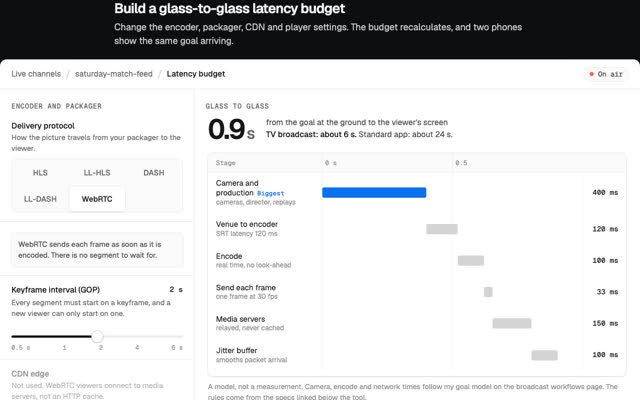
A striker shoots and the ball hits the net. On satellite or cable TV you see it about 6 seconds later. On an app it is often 10 to 30 seconds later. Follow that goal through the drawing.
A big Premier League match can have up to about 25 cameras. They feed an outside broadcast truck at the ground, or a control room miles away. A director cuts between them while replay operators find the best angle. The pictures reach the broadcaster on fibre or satellite. There they are put on air (“played out”), compressed and sent out by satellite, cable, broadband and apps.
The pitch end is fast. Cameras, truck and links add well under a second. The seconds pile up later. Broadcast TV runs 3 to 12 seconds behind live. The satellite is not the problem: even 36,000 km up, up and back down takes about a quarter of a second. Playout, compression and the buffer in your box take the rest.
Apps are slower because of chunks. An app stream is cut into segments, usually 2 to 6 seconds long. Apple’s streaming standard, HLS, tells the player not to start closer to live than three segments, because “doing so can trigger playback stalls”. With 6-second segments, that is 18 seconds before anything else is added.
So the delay sits at the end of the drawing, not the start. Low-latency streaming cuts segments into small parts, for example 200 milliseconds each. Apple says that brings delay “into the range of standard television broadcasts”.
Try it
Follow a goal
Pick a route and watch each stage add its seconds, from the goal to your screen.
Goal to your screen
Your player waits for whole chunks of video and keeps three in hand, so a hiccup does not freeze the picture.
| Route | Delay | Biggest stage |
|---|---|---|
| Satellite | About 6 s, 3 to 12 | Link to broadcaster, playout, encoders and multiplexing: about 5 s |
| Freeview (a match on BBC or ITV) | About 6 s, 4 to 10 | Link to broadcaster, playout, encoders and transmitters: about 5 s |
| App (standard) | About 24 s, 10 to 30, up to 40 | Player starts 3 segments back: 18 s |
| App (low latency) | About 5 s, near broadcast | Player buffer: 2.6 s |
Typical values. Your provider, device and connection change them. The low-latency stages come from one tuned test cut into 1‑second chunks. Low-Latency HLS, with 0.2 s parts, reaches the same range. The 40 s top of the app range is the figure the BBC gave for iPlayer when it trialled low latency.
The last arrow, out to the apps, was my world at Amazon: I was a streaming manager, including live music streams for Amazon Music.
Every version of that drawing has the same five boxes: capture, edit, check, move, publish. When I started, the boxes were edit suites and tape machines, and many of the arrows were tapes in boxes.
Try it
Then and now
One job, three eras, the same five boxes. Pick an era and see what sits in them.
The jobGet a 5-minute highlights package from the ground to viewers.
-
01Capture
Cameras record to tape
Cameras record to memory cards
Every card is copied and logged
Cameras at the ground
The crew works in a control room far away
-
02Edit
Cut in an Avid edit suite
Cut with small proxies in Avid
Finished at full quality
AI cuts the clips
An editor approves. At the Paris Games, AI made over 100,000 clips
-
03Check
Watched through in real time
At least 5 minutes for a 5-minute package
An automated QC report goes with the file
The paperwork is inside the file
AI writes logs and descriptions
People check them
-
04Move
Laid off to tape, then the journey
The paperwork travels in the tape box
Fast file transfer
5 minutes of broadcast video is about 4.4 GB
Over IP and the cloud
Live feeds cross the internet. 70% of Olympic distribution now runs in the cloud
-
05Publish
Played out from tape
Put on air from a tape machine
Automated delivery
Transcode, encrypt, deliver to the on-demand service
The same video chunks for every app
CMAF segments, live or within minutes
People
Editor, tape engineer, and someone carrying the tape
Editor, and a workflow engineer who builds the automation once
A smaller crew on site, operators far away, people checking the AI
EMG’s Premier League remote centre saved an estimated 28,000 to 30,000 miles of crew travel in six weeks
Minutes you can count
At least 9 minutes to lay off: 3 of line-up, the 5-minute package in real time, 1 of black. Then the journey.
Worked example: About 6 minutes if Aspera’s FASP fills a 100 Mbit/s link. A single classic TCP stream over the same long, lossy link: about 7 hours.
Two frames of delay from the ground to a remote control room. F1’s worst is 160 ms, from Melbourne. Clips go out live or within minutes.
02Tape
What did a broadcast workflow look like on tape?
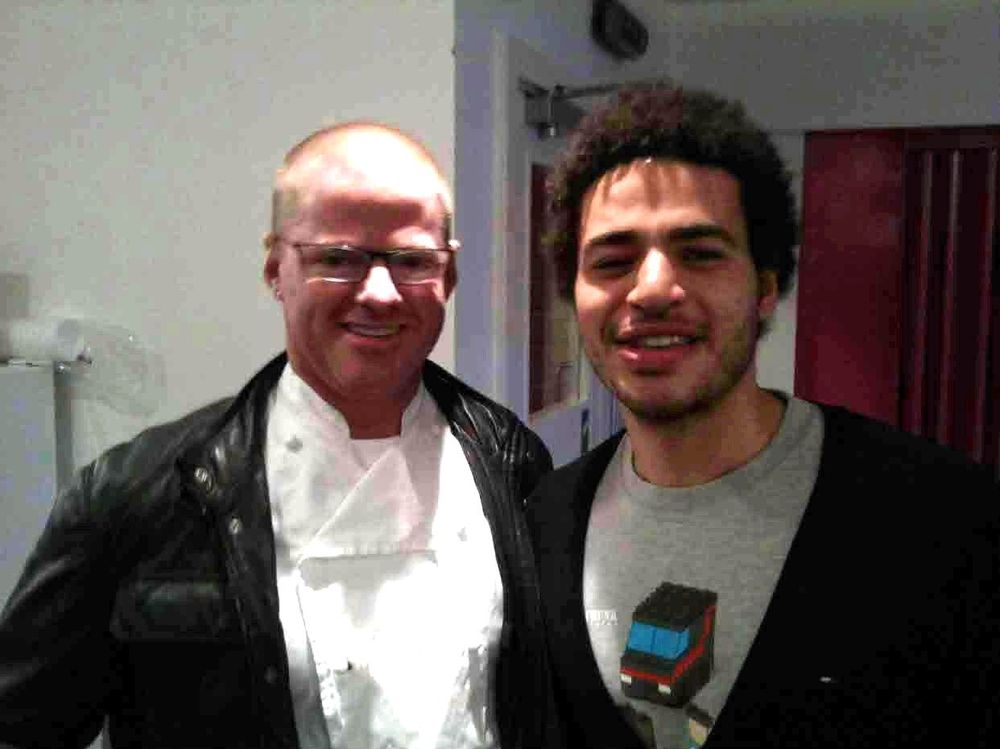
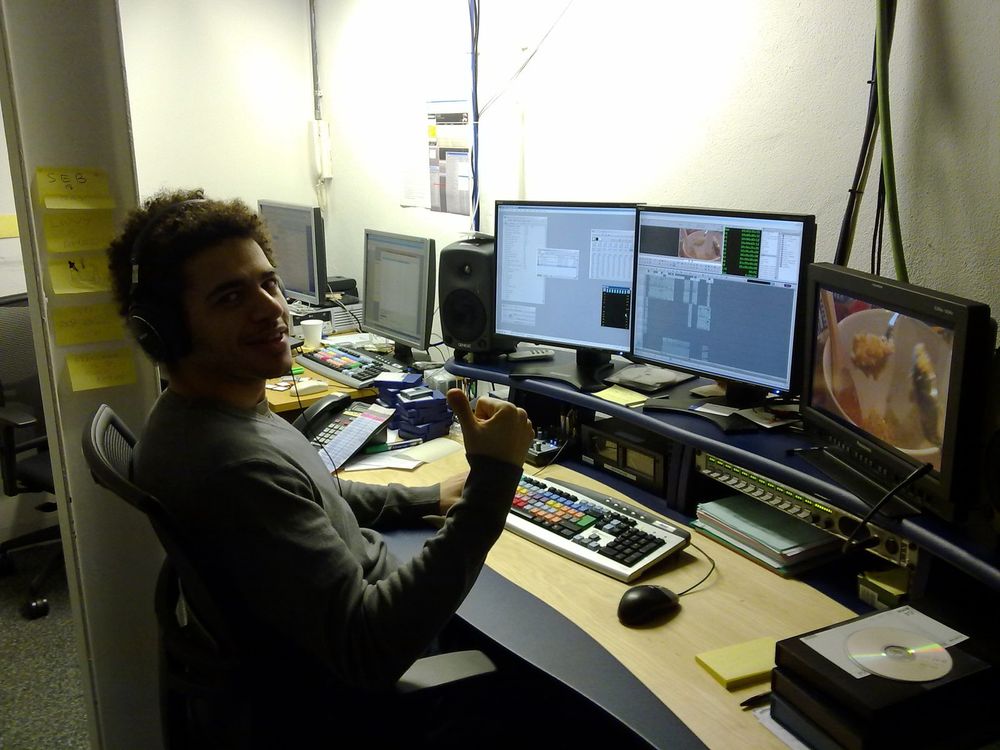
I started as a broadcast engineer at the BBC and Channel 4. On one Channel 4 show I labelled master and safety tapes with barcodes and logged them into the tape library. Then I joined Optomen as an edit runner, then edit assistant, on Heston Blumenthal’s TV show. My job sat at the end of the edit: getting the finished programme, cut on Avid, copied to Sony tape (“laid off”, in the trade) and delivered to the broadcaster.
UK broadcasters took HD programmes on HDCAM SR, Sony’s tape format, in a fixed layout. Sky’s published spec is typical: colour bars and tone, black, a countdown clock, then the programme starts at exactly 10:00:00:00 on the tape’s timecode. A tape plays in real time, so copying an hour-long programme took more than an hour. The paperwork travelled in the tape box.
03Files
How did TV move from tape to files?
At Lime Pictures I worked on Geordie Shore for MTV, on location in the UK, Mexico and Australia. I also wrote the workflow for The Valleys, another MTV show. I was the DIT: I owned every card from the moment it left the camera to the moment it reached the edit.
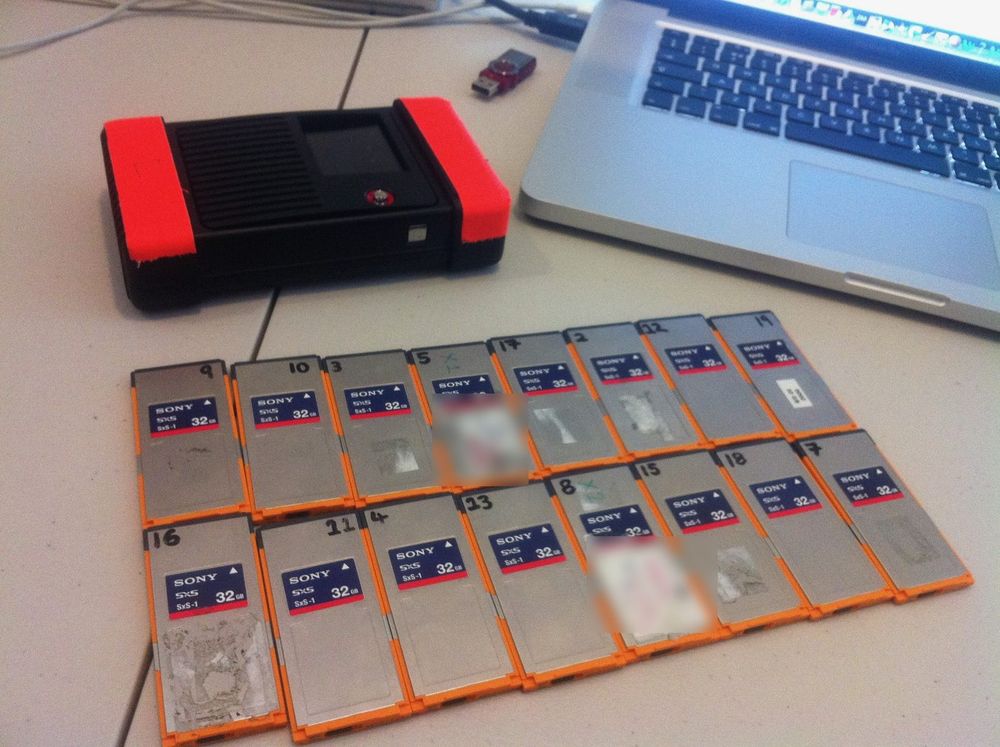
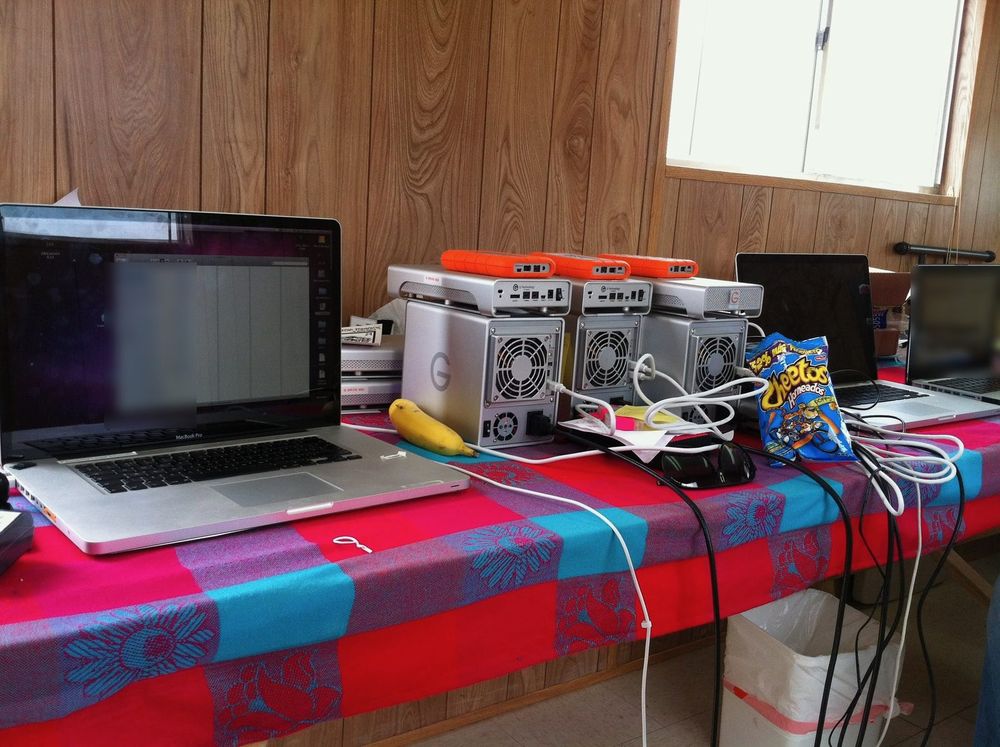
There was no tape. Reality TV cannot reshoot, so a card wiped before it was copied meant a scene lost for good. Sony PMW-500 cameras recorded to numbered memory cards, with a small preview copy beside every clip. Each camera had its own letter, so clip names matched the logs and the edit. Every card was copied and logged: reel AD101 meant crew A, day 1, card 01. The footage went onto RAIDs and rugged Thunderbolt drives, and numbered shuttle drives went by courier to the edit in London.
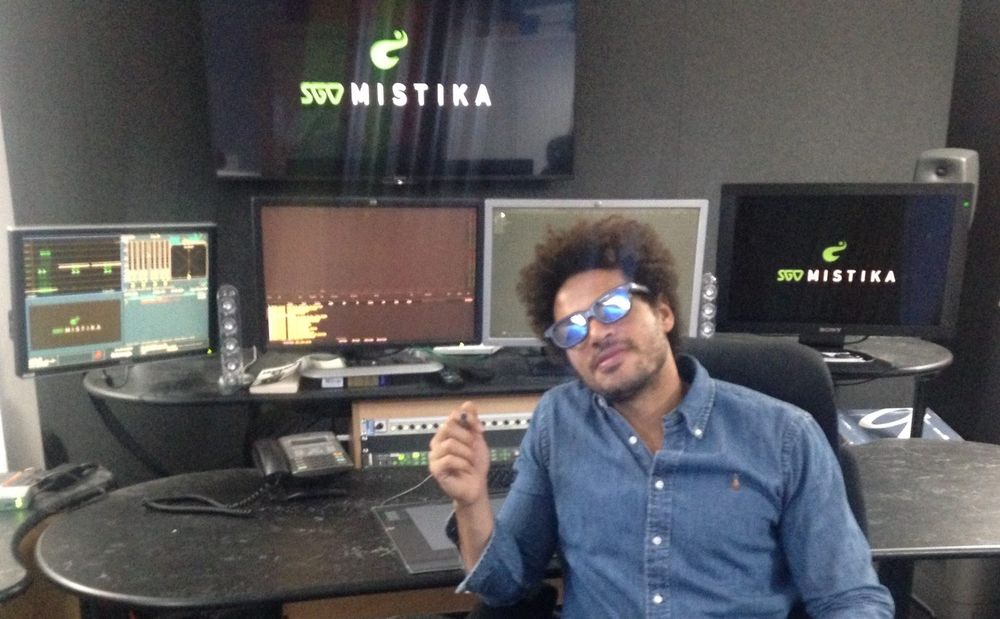
At Sky I was a technical manager, drawing edit workflows for productions. A colleague and I drew the one below.
One edit chain
Diagram. Camera cards from RED, Canon 5D and GoPro cameras split two ways. Small proxy copies go to the Avid edit on shared storage, where the team cuts them, then to picture lock. The full-quality originals wait for the finish. At picture lock, edit lists go to the Mistika finish, which relinks to the originals and grades them, and to the audio mix at the dub. The graded pictures and the final mix come together at the online, then go out on tape or as an AS-11 file.
Follow one path through the chain.
- Full-quality files
- Proxies, small copies
- Edit lists: which shot goes where
The trick is the proxy. Editors cut with small, low-resolution copies, then relink to the full-quality files at the end. A whole team can cut on shared storage without moving the heavy files.
Then tape ended. BBC, ITV and Channel 4 agreed one delivery file, AS-11, to replace tape, with the paperwork inside the file. In the end the big UK broadcasters stopped accepting tape for new commissions. Those files are big. The video alone runs at a little over 100 Mbit/s, so one hour comes to about 50 GB. A tape could be carried. A file needed a fast pipe.
04Transfer
How do you move a 50 GB file fast?
At Sky Deutschland I built workflows in IBM Aspera Orchestrator, the automation tool on top of Aspera’s fast file transfer.
Normal transfers crawl over long distances. Classic TCP, the protocol under FTP and most of the web, treats every lost packet as a traffic jam and cuts its speed sharply. On a long link the replies take a long time to come back, so it is slow to recover. Take a link where a message takes a tenth of a second there and back, and one packet in a hundred goes missing. One classic TCP transfer then tops out at about 1.4 Mbit/s, however big the pipe. A one-hour master takes about 83 hours. Newer TCP versions do much better, but still struggle to fill a long pipe.
Aspera’s protocol, FASP, runs over UDP. It sends at a steady rate and repairs lost packets on the side, so one loss does not slow the whole transfer. If it fills a 100 Mbit/s link, the same master takes about 71 minutes, not 83 hours.
Speed was half the job. The other half was Orchestrator: workflows built from inputs, actions and outputs. My master workflow queued on-demand files, encrypted them for the streaming service’s copy protection and delivered them. It also spread jobs across the encryption servers, retried failures and reported every file back to the scheduling system. Each box did one job. Arrows carried the file to the next box, with one path for success and another for failure.
Planned by hand
Diagram, left to right: a source, which can be a fast file transfer, FTP, a media library or the archive, goes to Orchestrator, which runs the job. The three outputs, HLS, MSS and TS for set-top boxes, are made in one step. Then they are encrypted: HLS and MSS together, TS on its own. Then the files move, an email says they are ready for QC, and they are uploaded.
My Orchestrator master workflow
Node graph. Three inputs, a watch folder, a destination and a programme ID, feed Add to queue. When it works: Add to queue, Pick a server (a free encryptor), Encrypt, Free server, Deliver to the service, then Report: done, to scheduling. When encryption fails: Look up error, Free server, then a Retry? decision. Yes loops back to Pick a server to try again on the next free server. No goes to Report: failed, to scheduling. Every action has a port for success and a port for failure.
Send a file through the workflow.
- Solid: when it works
- Dashed: when it fails
That canvas comes back at the end.
05Testing
How do you test a streaming app before millions watch?
Files like those end up in apps, and every app has to pass the check box in the drawing.
Years later I came back to Channel 4, as product owner of its on-demand service, with a team of 12. A product owner decides what gets built next and when it is ready. On a broadcaster’s app, ready means the programme plays on every screen, for every viewer allowed to watch it. BBC iPlayer alone has run on more than 10,000 devices.
Some gates test the app. Others test each programme before it goes live. On a service like this, the gates look like these:
- Devices and copy protection. Smart TVs, set-top boxes, consoles, phones and browsers each play video their own way, and each unlocks protected streams its own way.
- Start time and rebuffering. In one study of 6.7 million viewers, people began to give up after two seconds of waiting. Each extra second raised the share who gave up by about 5.8%.
- Subtitles and audio description. They switch on, stay in sync and stay on from one episode to the next.
- Rights. A programme plays only where and when its rights allow, and comes down when its window expires. Services check where you are from your IP address.
- Ad breaks. Ads land in the break, and each one must report that it played, because billing depends on it.
- Regression and sign-off. Old tests are re-run to prove nothing broke. Then each area owner signs, and the release gets a go or a no-go.
- Platform approval. On smart TVs such as Samsung’s, the maker tests every new version and launches it only when it passes, so a fix takes longer than on a website.
We followed standard practice for a broadcaster’s app: a release that failed a gate did not go out until it passed.
We tracked every release in Jira, which is boxes and arrows too: a status is a box, a transition is an arrow, and a transition can carry a check that stops the ticket moving on.
Nothing shipped until everything passed.
Every gate is passing. Make one fail and watch where the release stops.
EndLive
Press a gate to make it fail, and again to fix it.
063D and 360
How did 3D TV and 360 video work?
Sky put live 3D football into pubs. It showed Arsenal v Manchester United live in 3D to nine pubs, and more than 1,000 pubs and clubs signed up before the Sky 3D channel launched.
Two eyes had to fit in one normal HD picture. Sky squeezed the left and right images side by side into its existing HD format, and the 3D TV stretched them back out. Each eye got half the detail across.
Comfort is a budget. Sky’s limits kept the two images of most shots no more than 2% of the screen width apart behind the screen, and 1% in front of it.
My part in Sky 3D was the workflow: bringing it all together so the 3D kept people watching without hurting their eyes.
3D still faded. The BBC’s head of 3D said viewers found it “quite hassly”, and LG and Sony stopped making 3D TVs.
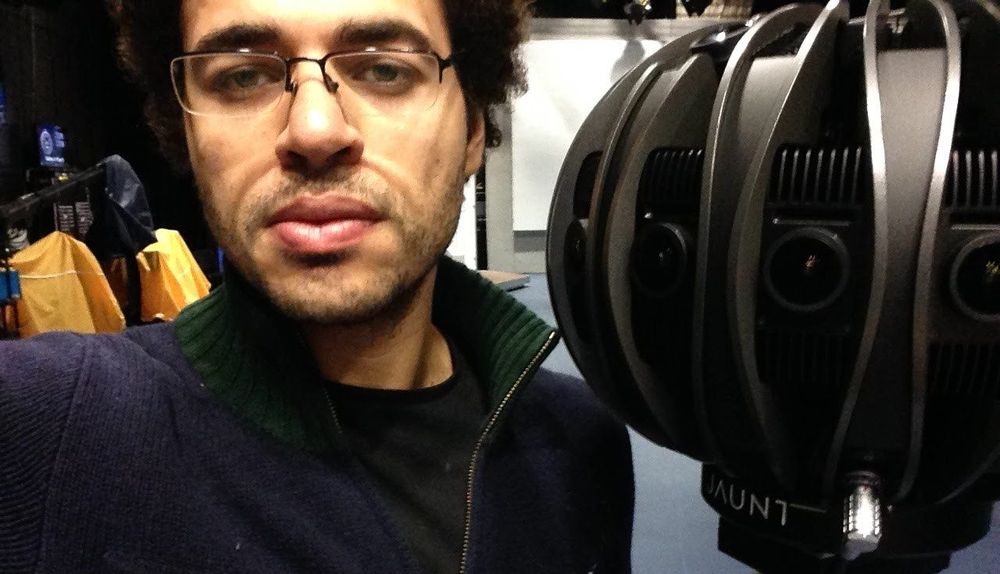
Then the drawing gained a camera that looks every way at once. Sky News made its first VR report on a Jaunt ONE camera, and two Sky F1 VR films drew 2.5 million views each. I was on the engineering team behind the Sky Sports VR, 3D and on-demand video players.
Live 360 is a bandwidth puzzle. A headset shows only about an eighth of the picture, yet a full 8K sphere needs 60 to 100 Mbit/s. Tiled streaming sends full quality only for the part you face. In one live test, that cut each viewer’s stream to 12 to 17 Mbit/s.
Try it
One sphere, two eyes
Look around a 360 stadium, then see how 3D fitted two eyes into one HD frame, and how far it could push them.
Look around. A 360 picture is a sphere unrolled flat like a world map. A headset shows about 1/8 of it, so tiled streaming sends full quality only for the tiles you face, and usually fetches new sharp tiles within a tenth of a second when you turn.
Two eyes, one frame. Sky squeezed the left-eye and right-eye pictures to 960 × 1,080 each and sent them side by side in one 1,920 × 1,080 HD frame. The TV stretched each half back out, so each eye got half the left-to-right detail.
3D comfort. Depth is how far apart the two images sit, as a share of screen width. Sky’s guide kept most shots between 1% in front of the screen and 2% behind it, allowed up to 2.5% and 4% for short moments, and asked editors to match depth across cuts.
Drag the view, or tap the flat picture to look there. The arrow keys work too.
- Sharp, outlined: the tiles you face
- Medium, softer: the ring around them
- Blurred, blocky and dimmed: the rest
- 4 of 32Tiles sent sharp right now
- About 1/8Of the picture you see at once
- 60 to 100 Mbit/sTo send a full 8K sphere
- About 2,000 × 2,000Pixels per eye in view at 8K (4K: about 1,000 × 1,000)
- Usually within 0.1 sTo fetch new sharp tiles when you turn
- 12 to 17 Mbit/sPer viewer with tiles, in one live 8K test
Every tile the view touches is sent whole, so the sharp share is often more than 1/8. Smaller tiles waste less: the live test used 96.
Both eyes travel in one normal HD frame, each squeezed to half its width.
Your eyes focus on the screen but aim in front of it or behind it. That mismatch is a big cause of eye strain.
−1.0%out of the screen
Sky’s bands are for TV screens.
- Sky’s guide for most shots: −1% to +2%
- Allowed for short moments: to −2.5% and +4%
- Outside Sky’s limits
- 19 pixels apart in an HD frame, 1,920 wide
- 1.0 cm apart on a TV about 1 m wide. Your eyes are about 6 cm apart.
Shot: close-up
Jumps in depth tire your eyes. Editors shift the two images so depth matches across a cut.
The bands are Sky’s production guidelines for TV programmes, not medical limits, and a bigger screen turns the same share into a wider gap. A match runs for 90 minutes and more, so depth had to stay comfortable for all of it, not just for one shot.
07World feed
What is a world feed?
A world feed is one set of pictures made for every broadcaster that bought the rights. Each adds its own voice on top. F1’s world feed reaches more than 180 territories. I was a technical producer on live F1 race coverage in Arabic and English.
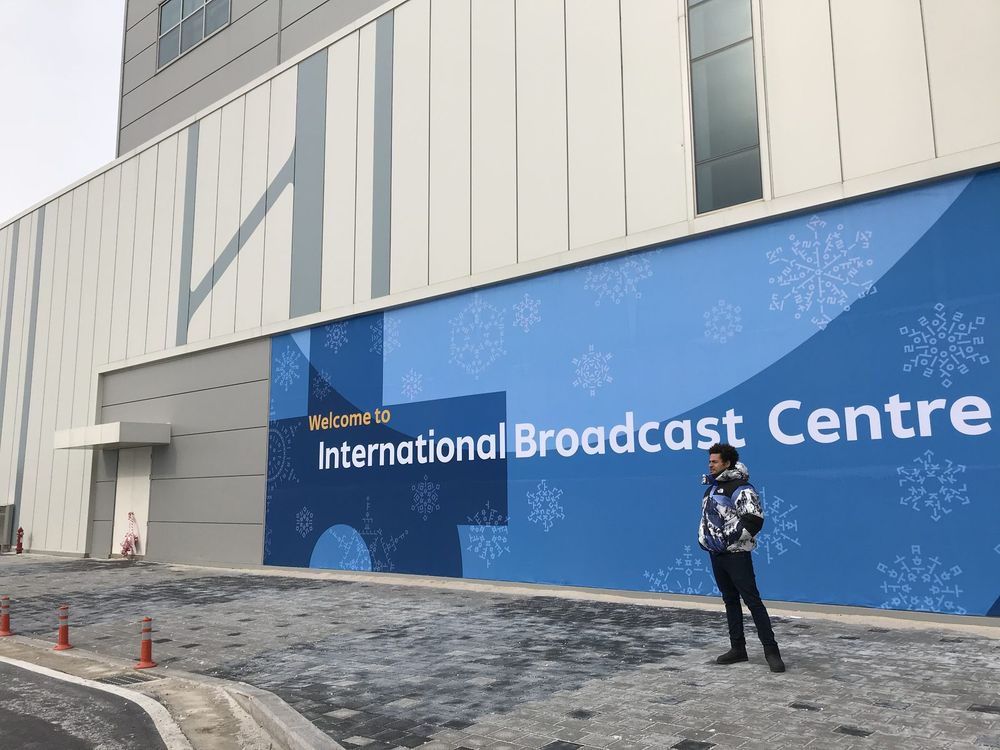
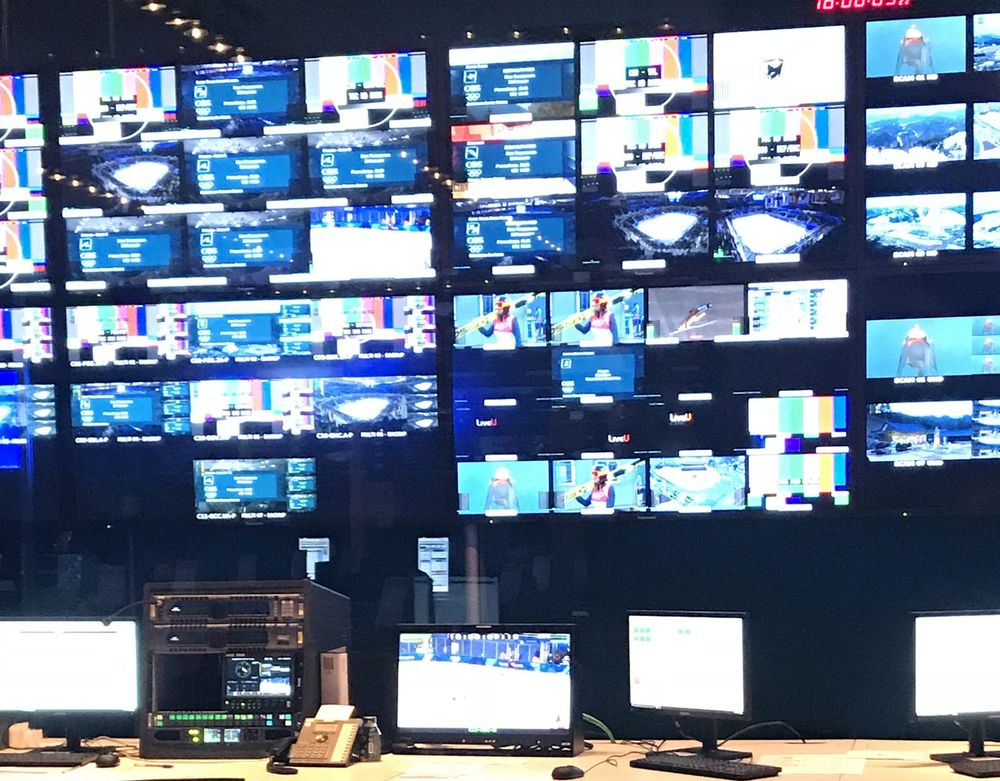
At the PyeongChang Winter Olympics I was technical and transmission manager for Olympic Broadcasting Services, OBS. I wrote the broadcast centre workflow guide, working with Avid for editing and EVS for replays.
OBS makes the Olympics’ world feed, the International Signal. Broadcasters can show it as it is, or add their own commentary and cameras. PyeongChang had more than 450 cameras and 5,000 hours of coverage, against about 25 cameras at a big Premier League match.
My guide covered two ideas:
- Edit while recording. Replay servers record every feed, and an editor can cut a clip while it is still being recorded.
- Edit in HD, finish in 4K. The proxy trick from the Sky edit chain, at Olympic scale.
Diagram in four steps. One: live feeds from every venue go to replay servers, which record every feed. Two: the recording reaches shared storage as a growing file, while it is still being recorded. Three: edit suites at the broadcast centre cut a clip from the part already recorded and send the finished clip back to shared storage; edit suites at the venues send their clips in too. Four: the finished clip goes back to the replay servers, which play it out to air.
Step through the flow.
The broadcast centre media flow
08Remote
What is remote production?
Today the cameras stay at the ground, and the production and replay teams work from a control room far away. That is remote production. EMG built its Premier League remote centre in about three weeks, and saved an estimated 28,000 to 30,000 miles of crew travel in six weeks. F1 now produces races from its UK centre, with a worst delay of 160 ms from Melbourne. As one report put it, “the track is the remote bit now”.
That works because the cable changed. For most of my career it was SDI, a coax cable. Inside the building, an IP network now carries video, audio and data as separate streams, under SMPTE ST 2110. OBS’s CTO says the cloud has essentially replaced satellite for getting live sport to broadcasters.
How do F1 and the Olympics reach your screen?
F1 makes the programme far from the track. It sends every camera to its Media & Technology Centre at Biggin Hill, south-east of London, and makes the world feed there. The Olympics still make their pictures at the venues, then send the finished feeds through the cloud to broadcasters around the world. F1’s way has a trade name, REMI, the remote integration model: the cameras, the microphones and the people who point them stay at the venue, and the feeds travel by fibre, satellite or internet to one control room where the programme is made.
Try it
Truck, remote or cloud
Pick where the programme is made. Watch what crosses the link, then cut it.
ExampleF1 before 2020F1 todayThe Olympics today
-
At the venue
Cameras and microphones
With the people who point them
-
At the venue
The truck
Director, replays, graphics, sound
Track centre
Collects every camera, the timing and the data
Venue galleries
Each sport’s feed is made here. Some vans now run as software
Programme made here
-
One finished programmeEvery camera, rawFinished feeds, hundreds of them
Fibre or satellite to the broadcasterTwo separate fibre routes to the UKInto the cloud, out to broadcasters
Backup: made at the track, sent by satellite
-
Around the world
Broadcasters
The finished programme arrives
Biggin Hill, UK
Remote centre
Director, replays, graphics, team radio
Anywhere
The cloud
Delivery to broadcasters. Highlights cut anywhere
Programme made here
Waiting for a backup routeNo cameras: the track takes overNo feeds arriving
-
At home
You
On TV or an app
Picture lost until the backupStill on air, without team radio, onboards and some replaysPicture lost, unless there is a second route
- People at the venue
- The whole team: camera crews, director, replays, graphics, engineers Camera crews and track engineers. F1 flies 36% fewer people, and about 140 work at Biggin Hill Production crews at every venue. Broadcasters can cut highlights from anywhere in the world
- Kit at the venue
- A full broadcast centre: 12 technical containers, 50 by 15 m A track centre of 3 containers, 25 by 15 m 810 camera systems and 23 galleries in 2026, three of them OB vans run as software
- Freight
- About 70 tonnes a race more than today A third less, about 70 tonnes a race saved Fewer specialist racks. OBS plans to be fully IT-based by 2030
- Delay the trip adds
- Next to none before the director: cameras and gallery share a site Up to 160 ms, from Melbourne. About 85 ms of it is light in glass Next to none before the director. The cloud trip comes after, where a satellite hop used to be
- If the link drops
- The show is still made and recorded at the track. Viewers lose it until a backup route takes over There are two fibre routes. If both fail, the track makes the show and switches within 30 seconds The venue keeps making its feed. Broadcasters lose it unless there is a second route out
How do they film F1?
F1 went remote in 2020, when Covid closed borders. It did it in eight weeks, for a plan that was meant to take two years. At the time it rigged over 470 pieces of equipment at every race, including 90 cameras and 147 microphones. The broadcast centre it took to each race shrank from 12 technical containers to three. Replays, camera control and colour correction for every camera moved to the UK, and F1 says it cut travelling staff by 36% and freight by a third, about 70 tonnes a race.
F1 calls Biggin Hill the world’s largest intercontinental remote production operation. The director there makes an average of 5,000 cuts a race weekend, and 600 terabytes move between the track and the UK. I was a technical producer on live F1 race coverage. This is the drawing from the top of the page, with one arrow made very long.
Why does distance add delay?
Light in glass covers about 1 km every 5 microseconds. Melbourne is about 16,900 km from Biggin Hill in a straight line, so even a perfect cable needs about 85 ms. Real cables take longer routes and the pictures are encoded on the way, so F1’s worst case is 160 ms, from Melbourne. That is four frames of 25 fps video.
Compression built for these links keeps it that low. JPEG XS squeezes video up to about 10 to 1 with a delay of a fraction of a frame, so a raw camera fits an affordable link. Inside the centre, SMPTE ST 2110 carries video, audio and data as separate streams over IP, kept in step by shared clocks. SMPTE designed it to replace SDI.
What happens if the link drops?
In a truck, the director keeps every camera, because they are all on cables at the venue. In remote production the director sits at the far end of the link, so the link is the risk. F1 runs two separate fibre routes from every track. If both fail, the track makes the show itself and F1 can switch within 30 seconds. Viewers would miss team radio, onboards and some replays. F1 rehearses it every Thursday before a race weekend, switching to satellite from the track.
How do the Olympics use the cloud?
OBS, the Olympic broadcaster I worked for at PyeongChang, still makes the pictures at the venues. At Milano Cortina 2026 it used 810 camera systems and 23 production galleries, three of them virtualised OB vans. Its CEO said full remote production is not realistic at Olympic scale, with 6,000 broadcasters on site.
What moved is delivery. At Paris 2024 its Live Cloud became the main way to send the Games to broadcasters for the first time, taking over from satellite, which the Olympics first used at Tokyo 1964. It carried 379 video feeds, and two-thirds of booked services, across 54 broadcasters, used it. At Milano Cortina 2026, OBS’s CTO said 70% of global distribution ran over the cloud, and a third of venue infrastructure ran on virtualised platforms.
How does live streaming work technically?
Here is the whole path for one F1 overtake, from the camera on the car to the app on your phone. The first half takes well under a second. Nearly all the delay is added in the second half, by the broadcaster and the streaming chain, as the first chapter shows.
Try it
From the car to your phone
Step through one overtake, stop by stop, and watch the delay build.
01On the car
An onboard camera sees the move
It is one of about 90 cameras F1 rigs at a race, with 147 microphones.
Behind live
0 s
The overtake
02Track centre
Three containers at the circuit collect it
With every other camera, the timing and the data, ready to send home.
Behind live
Under 1 s
Still at the track
03Fibre to the UK
Two separate fibre routes carry it home
From Melbourne the trip takes 160 ms. About 85 ms of that is light in glass.
Behind live
Under 1 s
Up to 0.16 s for the trip
04Biggin Hill
The director cuts to the onboard
Replays and graphics go on top. Inside, video, audio and data travel as separate SMPTE ST 2110 streams over IP.
Behind live
Under 1 s
The programme is made
05World feed
One programme goes out to every broadcaster
F1’s world feed reaches more than 180 territories. The Olympics now send theirs mostly through the cloud.
Behind live
Under 1 s
Cameras, links and gallery together
06Broadcaster
Commentary, playout, compression
The broadcaster adds its own voice, puts it on air and compresses it. On satellite or cable TV you see it here.
Behind live
About 6 s
3 to 12 s on TV
07Streaming
Several qualities, cut into segments
An encoder makes the same picture at several sizes and cuts each into segments of 2 to 6 seconds. A delivery network copies them close to you.
Behind live
Growing
Each segment must finish first
08Your phone
The player waits for three segments
It keeps them in hand so the picture does not stall. Low-latency streams cut 200 ms parts instead and get close to TV.
Behind live
10 to 30 s
About 5 s on a low-latency stream
09AI
What does AI change in broadcast?
The newest boxes in the drawing are AI. At the Paris Games, OBS’s AI made more than 100,000 clips for 14 broadcasters. OBS’s CTO says AI will extend logging to far more feeds, not replace its live loggers. When Red Bee built automatic live subtitles, speech recognition was about 95% accurate against about 99% for people, so people stayed in the loop.
Today I ship whole products with AI, and AI agents are drawn the same way. OpenAI’s Agent Builder is a visual canvas where you drag nodes for agents, tools, guardrails and approvals, and connect them into workflows.
Put it next to my Orchestrator canvas. Inputs on the left. Actions in the middle. Outputs on the right. One branch for when it works, one for when it fails.
The same drawing
Two node graphs with their columns lined up under inputs, actions and outputs. Then, my Orchestrator master workflow: a watch folder, then Add to queue, Pick a server, Encrypt and Deliver, then Report: done, to scheduling. If encryption fails, a Retry? decision loops back to Pick a server, or goes to Report: failed. Now, an AI agent graph: a request, then a guardrail, an agent, a person’s approval and a tool, then the result. If the guardrail blocks the request, it goes to Stop, and say why. If the person says no, it loops back to the agent.
Then: my Orchestrator master workflow
Graphs / Now: an AI agent graph
SavedPick a part to see it in both drawings.
- Solid: when it works
- Dashed: when it fails
The camera is still on the left. Your phone is still on the right. The boxes changed. The drawing did not.
Plain answers
Questions people ask me
Why is my stream behind live TV?
Apps cut video into segments of 2 to 6 seconds, and the player keeps about three in hand so the picture does not freeze. That is why streams often run 10 to 30 seconds behind, against about 6 for broadcast TV.
What is a broadcast workflow?
It is the route a picture takes from camera to screen, and the people and systems along it. It fits in five boxes: capture, edit, check, move, publish.
What does a DIT do?
On a tapeless shoot, the DIT (digital imaging technician) looks after the footage once it is shot. That means copying every card, checking and logging the copies, backing them up and getting them to the edit. On films and dramas the job often covers camera settings and colour too.
What is remote production?
The cameras stay at the venue and the feeds travel to one central control room, where the production and replay teams work. It saves travel and kit.
What is SMPTE 2110?
A set of standards that sends professional video, audio and data as separate streams over an IP network, so one data-centre network replaces the old SDI router.
What is REMI production?
REMI, the remote integration model, is the trade name for remote production. Cameras, microphones and their crews stay at the venue. The feeds go by fibre, satellite or internet to one central control room, where the programme is made.
How do they film F1?
F1 rigs about 90 cameras at a race, by its 2020 count. A small track centre sends every feed down two fibre routes to its Media & Technology Centre at Biggin Hill, near London, where the director makes the world feed. From Melbourne the trip takes 160 ms.
How does live streaming work technically?
The venue sends its feeds to a control room, which makes one programme. A broadcaster adds commentary and compresses it. An encoder makes several qualities, cuts each into segments of 2 to 6 seconds, and a delivery network copies them close to you. Your player waits for about three segments, which is why apps often run 10 to 30 seconds behind.