All notes · Identity
How to prove who someone is without seeing who they are

Over many years I’ve been asked the same question three times. A game the size of Earth needed to know its players were real. Another game needed a login that never touched the player’s keys. Nurses and doctors needed to prove their licence without handing every employer their whole file. Each time the answer was the same: prove the fact, not the person. Here’s how I built all three, in plain words. It’s long, but worth it, I promise.
First, the idea
A zero-knowledge proof in one picture
Somewhere on this busy page is Pip, in a blue striped bobble hat. Say you’ve found him and a friend doesn’t believe you. If you point at him, your friend learns where he is too.
So you take a sheet of card much bigger than the page, cut one small hole in it, and lay it over the page with the hole right on Pip. Your friend sees Pip, and nothing else.

Pip is somewhere on this page. Find him and tap him, then lower the sheet.
Or pull the tab down. With a keyboard, use the arrow keys.
Your friend is now sure of one thing, and has learned nothing else. That is a zero-knowledge proof. Software does it with maths instead of card. The first story below uses one. The other two chase the same idea, proving only the fact, with keys and encryption instead.
The sheet and the hole come from ‘Applied Kid Cryptography’, by Moni Naor, Yael Naor and Omer Reingold.
Three projects
- 01One player, one proofA zero-knowledge ID at PLAYERUNKNOWN Productions: the game learns a player is real, not who they are.
- 02A login that never touched the player’s keysNOR, at Consortium9: the player’s browser held the keys, and a wallet came in only when money moved.
- 03Prove the licence. Keep the file.Nurses and doctors send only the fields a job needs, through a server that can’t read them.
Then five rules I start every privacy product with, and the questions people ask me.
01PLAYERUNKNOWN Productions
One player, one proof
I was blockchain lead at PLAYERUNKNOWN Productions, Brendan Greene’s studio in Amsterdam. Brendan created PUBG. His next plan was a world the size of Earth, filled with things its players make and own.
A world like that has to know three things about each player:
- Is this a real player?
- Is it one player, or one person with fifty accounts?
- Do they own what they say they own?
The usual answers give too much away. An email or a phone number leads back to your real name. A wallet pop-up is worse, because most crypto wallets are see-through. Once someone knows a wallet is yours, they can see everything in it, and everything that ever went in or out.
Step one: a login with no email and no phone
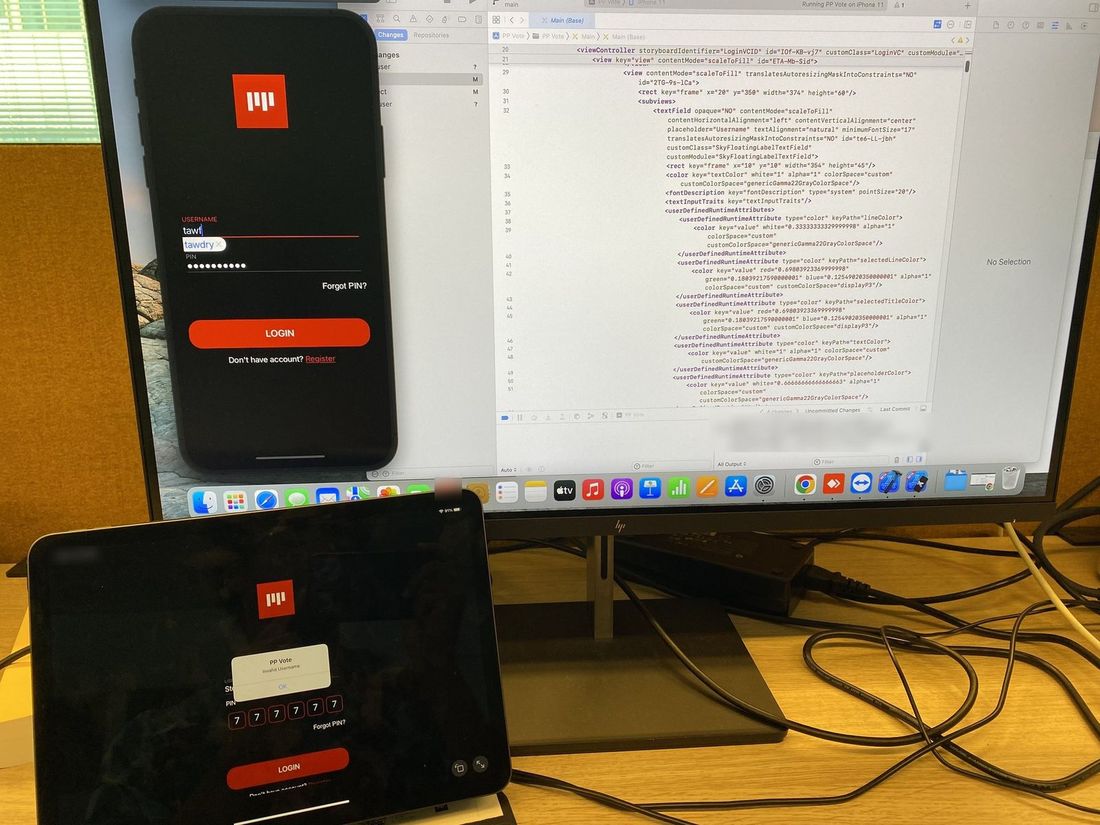
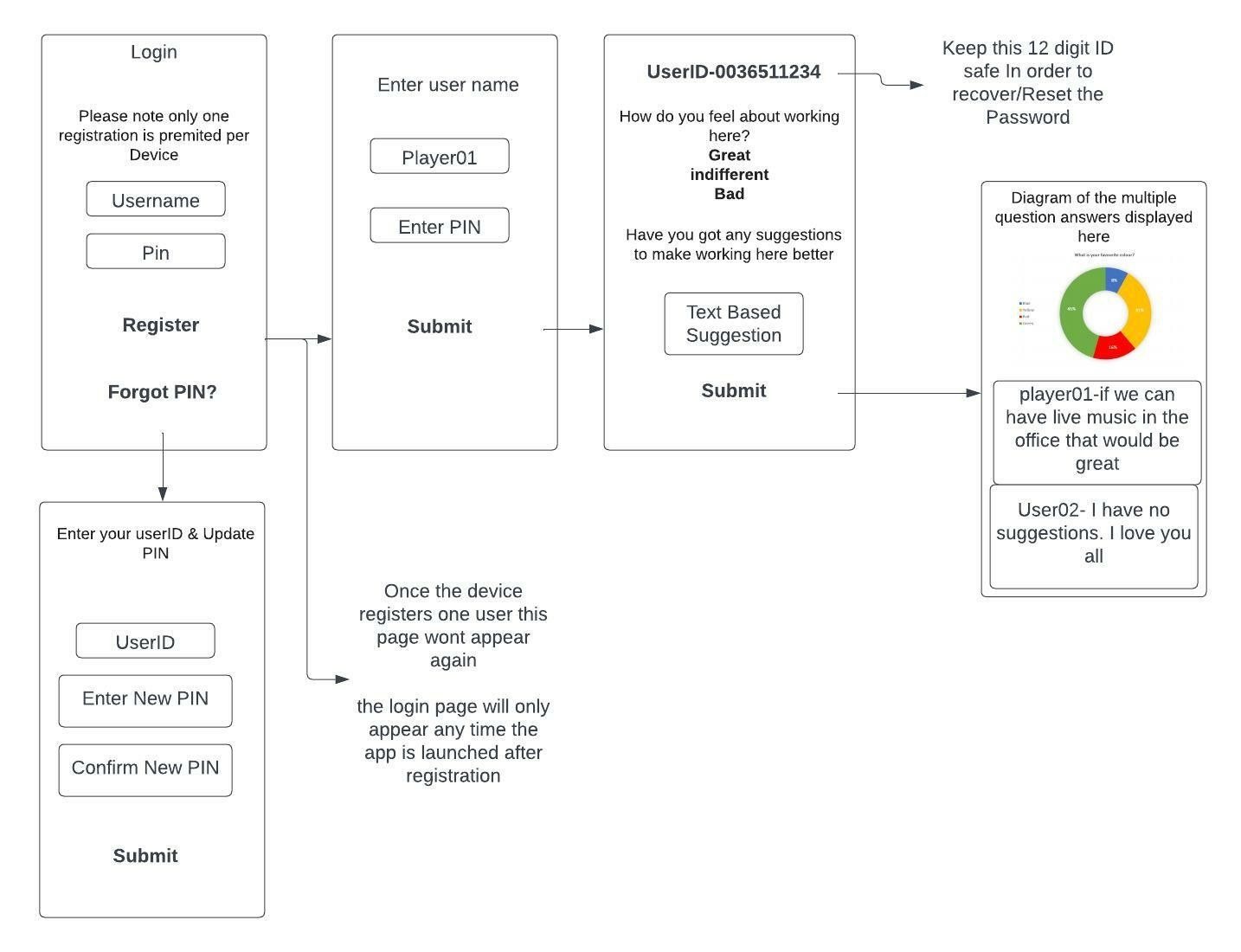
The first step was small on purpose. PP Vote was an iPhone and iPad app for quick polls. I wrote the spec. Here is the whole flow:
- The first time you open the app, it makes a random device ID. The server stores it with your new account. The rule was one phone, one account.
- You pick a username and a six-digit PIN. Nobody asks for an email or a phone number.
- The app gives you a 12-digit ID to keep safe. If you forget your PIN, that ID lets you set a new one.
- From then on, the app opens on the login screen only. On that phone, the sign-up screen never comes back.
- You answer the poll. The test poll asked “How do you feel working here?” (great, indifferent or bad) and had a box for suggestions.
- The results show as a pie chart. Suggestions appear under your username, or as “Anonymous” if you turn your name off.
It worked, and it showed me where it stopped working. Nobody was asked for a name, an email or a phone number. But every answer came from a logged-in account, and the server kept a device ID next to every account. You had to trust whoever ran the server not to join those dots. And one person with two phones could still have two accounts.
So step two had to let the game spot a repeat player without the game, or anyone else, holding that link.
Step two: a zero-knowledge ID for players and wallets
Next I designed a zero-knowledge ID for players and their wallets. It made it into the studio’s game. The design belongs to the studio, so here is how this kind of ID works in general.
A zero-knowledge proof lets you show that a sentence is true without showing anything else. It’s the sheet of card from Pip’s page: your friend can see you found him, but not where he is on the page.
For a player, the sentence is: “I’m one of the registered players, and I control a wallet that holds this item.” The player sends a proof, the game checks it with maths, and the answer is yes or no. Making a proof that passes for a sentence that isn’t true would mean breaking the maths. A yes tells the game nothing about which player you are, which wallet is yours, or what else is in it.
One person can’t pretend to be many. Every proof carries a short code called a tag. The tag is made from a secret number only you hold, plus the game’s name, so it comes out the same every time you prove yourself to that game. The proof also shows the tag was made honestly from that secret, so you can’t swap in a made-up one. Try to join twice and the game sees the same tag. That is also why a ban sticks. Inside one game, the tag works like a nickname: the game can tell it’s the same player each time, just not who. Take the same ID to a different game and the tag comes out different, so two games can’t match you up by comparing tags.
The wallet stays private. The game never gets your wallet address. It gets a proof it can check and a tag. With no address, there is no see-through wallet to look into.
What a proof can’t do. It can’t stop someone getting two IDs in the first place. That is decided when IDs are handed out. In PP Vote, the phone decided it. A proof makes that check private, but it doesn’t make it stronger. A proof also hides you only among the people who could have made it, so if just four people own the item, the game knows you are one of four. And it doesn’t hide your internet address or your device. Anything you later do in the open on a public blockchain can be seen by anyone.
Try it
One player, one proof
Your side
The line. Only what crosses it is shared.
Game side
This tag is already inside.
Castle game
Gold Pass owners only.
What the game knows
- Nothing yet
Not known: which wallet, what else is in it, who you are.
Racing game
Gold Pass owners only.
What the game knows
- Nothing yet
Two IDs make two tags. Making sure each person gets one ID happens at sign-up, not in the proof.
Here, four wallets hold a Gold Pass, so the game knows you are one of four. A bigger crowd hides you better.
A proof doesn’t hide your internet address or your device. Anything you later do on a public blockchain is public.
The Castle game only lets in players who own a Gold Pass. How will you show yours?
A simple model of how a zero-knowledge ID works. Not the studio’s code.
How this toy works
The tag is a real SHA-256 hash of a secret made in your browser plus the game’s name. The proof check is acted out. In real systems the proof is checked by maths, the same proof shows the tag was worked out correctly, and the tag is called a nullifier.
Player
Stays with you
- Your secret
- Your wallet address
- Everything in your wallet, and its history
- Which registered player you are
- Your name, email and phone (never asked)
The line
Crosses the line
- The sentence
- The proof
- A tag for this game
Game
The game keeps
- Yes, once it has checked the proof itself
- The tag (to spot repeats and make bans stick)
Not hidden by a proof: your internet address and device, unless you hide them some other way.
What I learned
“One person” is decided at sign-up. The maths can keep a check private. It can’t make a weak check strong.
Hide the link, not just the name. PP Vote hid names. The proof hides the link.
Recovery is the hard part. With no email, there is no reset email. PP Vote’s answer was the 12-digit ID, and the app had no other way back in. Both projects that came after this had to answer the same question.
02NOR, at Consortium9
A login that never touched the player’s keys
I led technology there, first as Director, then VP, then CTO. NOR was a platform for competitive games and tournaments. Our first game, FASTER, shipped on Steam.
The problem
Players hate wallet pop-ups. They hate being handed twelve or twenty-four secret words and told never to lose them. Every pop-up is a place to quit.
Stores have rules too. Steam does not take apps built on blockchain that issue crypto or NFTs, or let players trade them. So our rule was simple: the account system had no direct tie to web3. Inside the game, it was a plain login.
We still wanted real ownership. Your name, your record and your prizes should belong to you, not to us.
What we built on Holochain
NOR’s login, on the web, looked like any other. An email, a password, then a player name. Behind it, nothing worked like a normal account.
The form sat in a sealed box on the page, run by Holo, the hosting network built on Holochain. Inside that box, your browser turned your email and password into a key. The password never left the box. Neither did the key. Not to us, not to Holo. Our own page could not look inside.
Every time you did something that counted, the box signed it with your key. A signature is like a wax seal that only your key can make. Anyone can check it. Nobody can fake it without your key. Our server saw your player name, your public key (the half that is safe to share) and your signatures. It never had your private key, so it could not sign anything in your name.
The server did not need to know who you are. It only needed to know that a request came from the same key as last time.
“Login looks like web2 but actually connects to your local keys.”
Me, in NOR’s technology update.
Holochain held your identity, matchmaking and match results. How it differs from a blockchain, in two sentences:
A blockchain
A blockchain is one shared notebook that every computer copies, and they all have to agree on each new page.
Holochain
Holochain gives each player their own signed notebook that only they can write in, and each line they share goes to a random set of other computers, which check it against the game’s rules and keep copies.
Players installed nothing extra to log in: no wallet, no browser add-on. A Holo host ran each player’s notebook for them, so it could read what was in it. It could not sign a line itself. It had to ask the box in the player’s browser.
Try it
Who holds the key
Flip the login, then try each action.
The usual login: the game’s server holds your account, keys and all.
| Usual login | NOR’s login | |
|---|---|---|
| Sees your password | Yes, at every login. It keeps a scrambled copy | Never |
| Holds your private key | Yes, in its vault | No. It stays in your browser |
| Can sign as you | Yes | No |
| Can reset your password | Yes | No. Nobody can |
| Can refuse your player name | Yes | Yes. It vouches for names |
Simplified. In NOR a Holo host ran your Holochain node and could read what it stored. Your key stayed in your browser, and the host had to ask the box for each signature.
“I’m very proud of our identity system where users get to truly control their own info, data, and more.”
A wallet only when money moves
You met a wallet only when money or owned items were involved: buying a tournament ticket, claiming winnings, or proving you own a collectible. Tournaments ran on Rain Protocol, as rules on Ethereum.
To get paid, your browser asked our server for a fresh one-time code. Your key signed it, and you told us which wallet to pay. We checked the signature, then handed back a signed voucher. Your wallet took the voucher to the tournament contract and collected. That claim wrote your NOR key onto Ethereum, sent from your wallet.
How NOR fit together
Your browser, held by the player, runs nor.gg. Inside it, the Holo sign-in box makes your key from email and password, signs every action, and keeps the password and key. The box sends a signed one-time code to the NOR server. The NOR server, central and run by us, vouches for player names, hands out one-time codes and signs prize vouchers. It sends a signed prize voucher back to your browser, and its name vouching goes to the Holochain network, readable by every player. The Holochain network is shared and run by Holo hosts. It holds your NOR ID, matchmaking, match results, and player names that every player can read. A Holo host runs your node, can read what it stores, and asks the box for signatures, which the box sends when the host asks. Your wallet, used only when money moves, buys tickets and claims with the voucher at the Rain tournament contracts on Ethereum, which hold tickets and winnings. That claim is public: your NOR key next to your wallet.
- Solid: held by the player.
- Dots: shared network.
- Grey dashed: central, run by us.
“Nor is the first Holo.Host customer … using Holochain for the distributed identity, matchmaking, game data.”
As CTO I owned how the pieces fit together. We built it with the Holochain and Rain teams.
What it cost
It was a hybrid. Our server vouched for every player name. That is a central part. If it said no, you had no name.
Money still needed a wallet. We kept the wallet out of the login, not out of the game. Entering a tournament tied your ticket, and so the wallet that bought it, to your NOR key in records other players could read. Claiming a prize put your NOR key and your wallet address side by side on Ethereum, where anyone can read them, and player names were public inside NOR. That public link was the price of paying the right player.
Hosts were trusted while you played. A host could not sign in your name on its own. But the sign-in box signed what the host asked for, without asking you, for as long as you were signed in. The box’s own code also loaded from the web on each visit, like any page.
The first load was slower. The sign-in box had to find a host and connect to your node. Our loading screen said so.
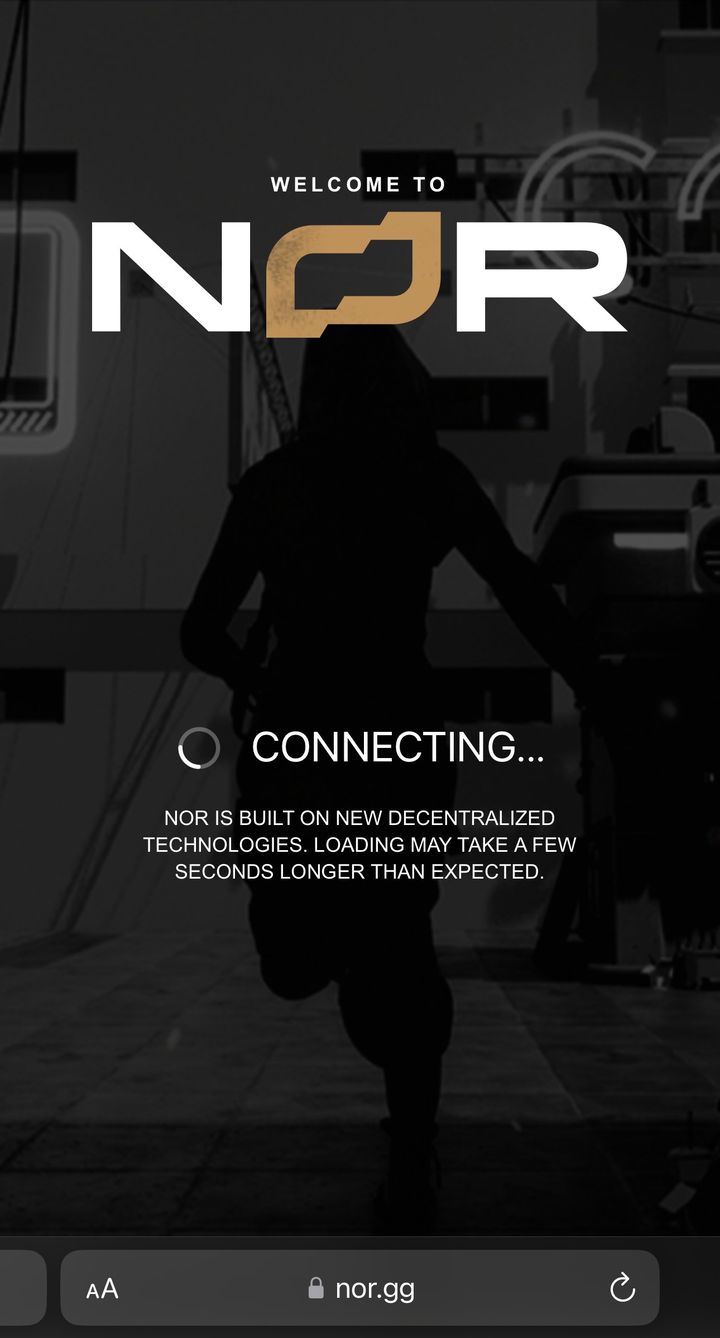
There was no reset button. Your key is made from your email and password, so the same details rebuild the same key on any browser. Forget the password and nobody can reset it, not us and not Holo. A key made from a password is also only as strong as that password.
What I kept
The login is not the wallet. Keep the key with the player. Bring in money only when money moves. And say plainly which part is still central, and which links are public.
03Nurses and doctors
Prove the licence. Keep the file.
Nurses and doctors prove the same licence again for every hospital and agency they work with. Each one checks it from scratch and keeps its own copy of their documents. It’s slow, and every copy is one more place those documents can leak.
Here the employer does need to know who you are. A hospital can’t hire an anonymous nurse. So the job isn’t hiding the person. It’s sending only what the job needs.
I led this product for a client, first the product and design, then the engineering. The idea: check a licence once, keep it on the nurse’s phone, and let the nurse show each employer only the parts they ask for.
Three parties, and a server that can’t read
- Verification companyThe issuer
- encrypted to the nurse’s key
- Nurse’s phoneThe holder
- a link and a code
- Employer’s browserThe verifier
These are the three roles of any verifiable credential. The issuer is a verification company that checks the licence with the board that granted it. The holder is the nurse. The verifier is the employer.
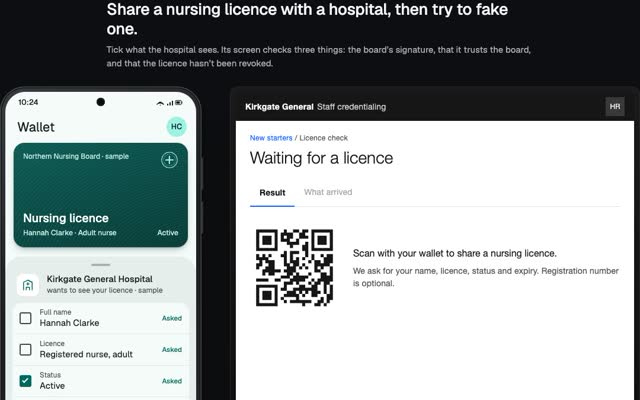
The issuer checks once, at the source. Then it encrypts the result to the nurse’s own key: the file is scrambled, and only that key can turn it back. The nurse’s key is worked out on the nurse’s own phone, from the nurse’s wallet, and never uploaded. We store the encrypted copy. We can’t read it.
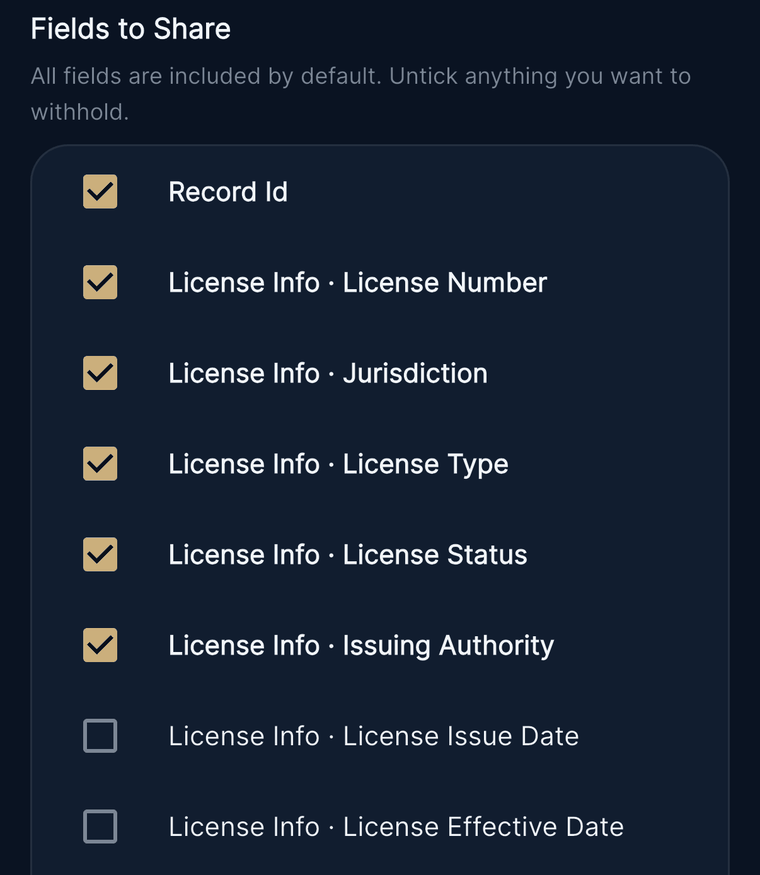
Tick what to send. The rest is gone, not hidden.
When an employer asks, the nurse ticks the fields to send. Everything left unticked is deleted from the copy before it’s encrypted. It isn’t blurred or covered over. Its value isn’t in the file at all. The employer can tell that something was left out. The issuer’s signature over the whole licence still travels with the file, so a field with few possible values, like a status, could be guessed and checked against it.
That takes more care than it sounds. Credential files often repeat a detail, like the licence number, in a second place the screen never shows. Deleting it from the list isn’t enough, so the app removes those repeats too before anything leaves the phone.
Try it
Untick a field
Watch it leave the file, then take the link apart.
This demo encrypts for real, in your browser, and sends nothing anywhere. The issuer’s signature check is acted out.
Nurse’s phone
Always sent
- Credential
- Nursing licence
- Checked by
- Verification company
Also always sent: the check’s status and dates.
Every field starts ticked. Untick anything you want to keep back.
Sending 6 of 6 fields.
Employer’s browser
Preview. Nothing sent yet.
Nothing shared yet
The issuer’s signature is checked when the employer opens a link.
Nursing licence
Checked by Verification company
Unticked fields aren’t blanked out. Their values aren’t in the file. full_disclosure: false tells the employer something was left out.
The link, taken apart
No link yet
Which websiteSent to the serverWhich share (a random ID)Sent to the serverThe key for this shareNever sent to the server
Code
Sent another way The server checks it before handing anything overWhat the browser actually sends
No key in there. The browser doesn’t send the part after #.
Our server
Our server keeps
- Press Create link to make a share.
Pick a case
Create a link first.
A link with the key inside, and a code sent apart
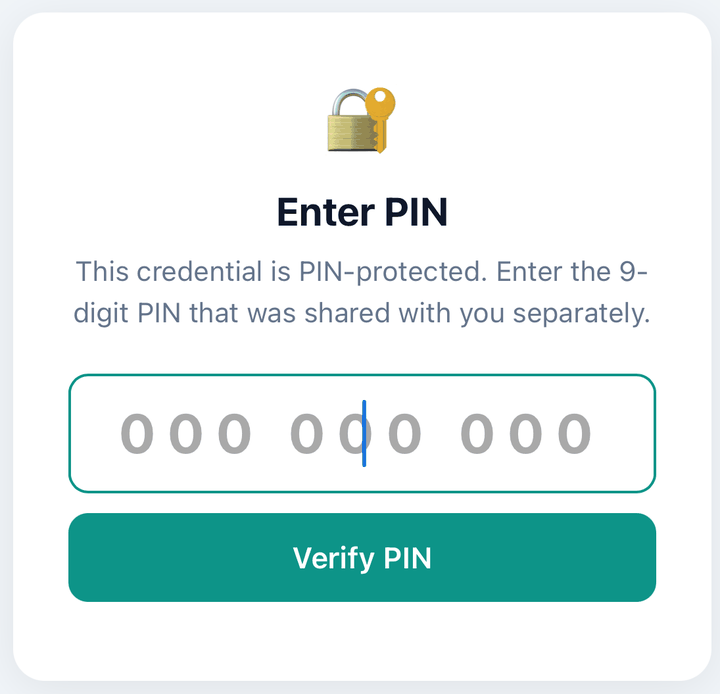
Each share is a link plus a 9-digit code.
The link carries a new key made for this one share. It sits after the # sign. When a browser opens a link, it doesn’t send the part after the # to the website. So our server stores an encrypted copy it has no key for.
Whoever carries the link can see the key, like the email or chat service it travels through. That’s why the code goes by a different route, like a text or a call. The server won’t hand over the encrypted copy without it, and after eight wrong codes it stops accepting tries for half an hour. A stolen link on its own gets nothing. The code on its own gets scrambled bytes and no key.
Every share ends when the nurse chooses: from one hour up to 30 days, or never. The nurse can withdraw a share at any time, and the link stops working at once.
Opening a share doesn’t call the issuer or the licensing board.
Signing in without an email
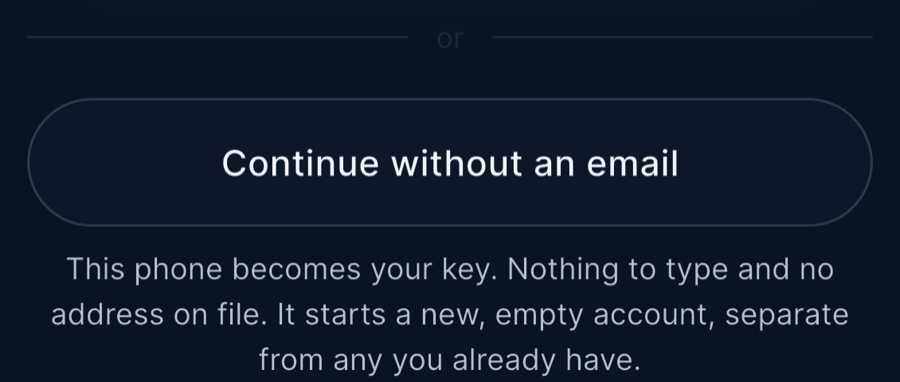
The client asked for a way in that needed no email address. I built one.
The first time, the phone makes its own key and keeps it in the phone’s protected storage, left out of cloud backups. To sign in, the sign-in service sends a one-time message and the phone signs it with that key. The signature only works once, and there’s no password to steal or phish.
Signing in this way asks for nothing about you: no email, no phone number, no name. The account starts as just the key. Getting a licence verified still takes an identity check and a phone number, because that’s what makes the result worth anything to an employer.
What it doesn’t do
- Lost keys stay lost. The keys come from the nurse’s wallet. If that wallet is lost, nobody can recover the credentials, us included. With the no-email sign-in, losing the phone loses the account. The issuer keeps its own copy, so the licence can be issued again.
- The wallet comes from an outside provider. The keys are worked out on the phone and never sent anywhere, but the wallet they come from is run with an outside wallet provider, so that provider is part of what you trust.
- A partial share can’t be checked against the issuer. The issuer signs the whole licence, not each line. Send part of it and that signature can’t be checked on the part, so the employer’s page says so instead of showing a green tick. For those lines, the employer has only the nurse’s word. Formats that let each line be checked on its own, like SD-JWT or BBS, fix this. We haven’t built that.
- The link isn’t tied to one person. Anyone with the full link and the code can open it until it ends or is withdrawn.
- The server sees the outside. It can’t read a share, but it knows whose share it is, which credential, who it was for, when it was made, how often it was opened.
- You trust the page that opens it. That page comes from our server, so you’re trusting its code with the key. That’s the usual trade for a key in a link.
- Screens can be photographed. An employer can still take a screenshot.
- It isn’t zero-knowledge. This is encryption the nurse controls. The employer sees the real values the nurse chose to send.
My part: I led the product and the design, then the engineering. I wrote the encrypted share link, the field picking, the no-email sign-in, and the security hardening that came from trying hard to break it ourselves. That testing was our own, not an independent audit.
Across all three
Five rules for any privacy product
Three projects, three different stacks, and the same five rules kept coming up.
-
Prove the fact, not the person
Ask for the one fact the moment needs, and nothing that comes with it.
At PLAYERUNKNOWN Productions the game needed to know a player was real, not who they were, so I designed an ID that answers with a proof instead of a name.
-
Keep the server blind, and say what it still sees
If a server can read something, it can leak it.
The credential platform stored only sealed copies it had no key for. It still saw who shared with whom, and when, and I’d rather say that than hide it.
-
Make the wallet a payout step, not a login step
A wallet usually shows the same address to every site, so logging in with it links you everywhere.
On NOR, sign-in looked like any website and the player’s browser held the keys. An Ethereum wallet only came in for tickets, winnings and owned items.
From the nor.gg code
"Connect your Ethereum Wallet to buy tickets""Connect an Ethereum wallet to claim winnings"POST identity/verify/holochain { agentpubkey }Two strings and one API call from the nor.gg site code, as archived. The wallet only appears when money moves. The call is the central check that vouched for usernames. -
Design recovery first
Whoever can recover an account can also take it, so decide who that is before anything else.
PP Vote handed you a 12-digit recovery ID the moment you signed up. On NOR your browser rebuilt your key from your email and password, so a forgotten password meant a lost account, and the tech under it says so plainly.
-
Make the trust moment visible
When someone shares, show them exactly what is going out, to whom, and for how long.
In the credential app the professional unticks what to keep back, picks how long the link lives, and can see how often it was opened.
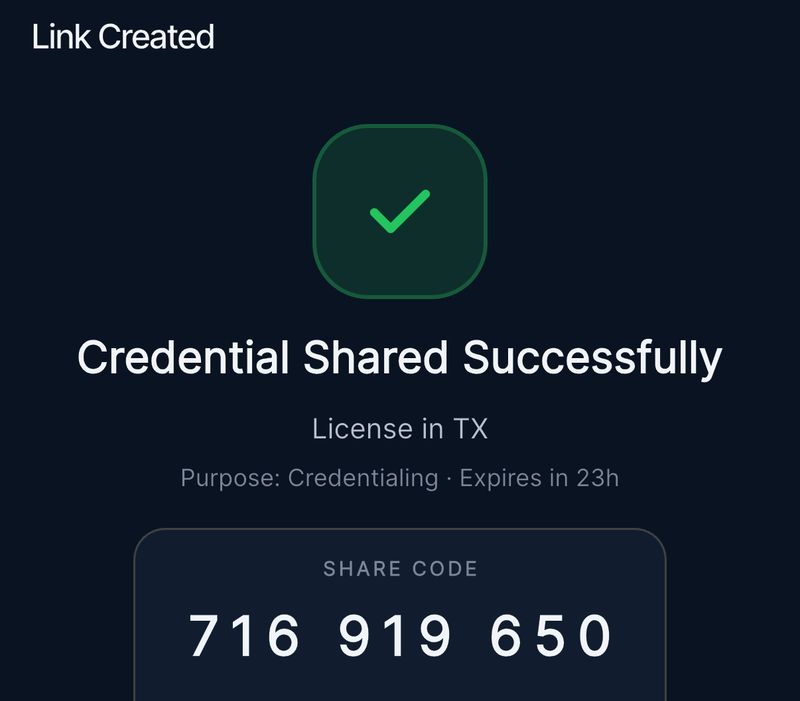
The trust moment: what is going out, why, and when it expires. The code travels separately from the link.
Here are rules one and two in your hands. Pick how you’d prove you’re over 18, and see who learns what.
Try it
Who learns what?
Same fact, three ways to prove it.
That’s why good designs never call home. They check against a shared list instead.
| Who | Upload a photo | Signed credential | Zero-knowledge proof |
|---|---|---|---|
| The website | Name, date of birth, home address, ID number, face photo | “Over 18: yes”, the issuer’s signature, sealed codes for the lines you didn’t open | “Over 18: yes”, proof that a real issuer signed it |
| The ID issuer | Not involved | Nothing. If the site calls it to check: which site you used, and when. | Nothing. If the site calls it to check: that this site checked someone, and when. Not who, because the proof doesn’t say. |
| Someone who breaks in later | Everything above | “Over 18: yes” and the signed part. No name. | A proof that only says “someone here was over 18”. It can’t be reused, because it’s tied to that one visit. |
| Two websites comparing notes | Match you at once: same name, same ID number | Can match you: the signed part is identical, unless the issuer gave you a fresh copy for each site | Can’t match the proof, because each one looks new. They can still match your internet address, device or account. |
None of these hide your internet address or your device. That’s a network problem, not a proof problem.
Most of this is standard cryptography. The skill is putting it where it removes a link between a person and their data, not where it adds a ledger. And most privacy is decided on one screen: the moment a person chooses what to share. That’s the screen I design first.
Plain answers
Questions people ask me
How can I prove I’m over 18 without uploading my ID?
Someone trusted checks your ID once, such as a government, a bank or your phone’s wallet, and gives you a signed credential. When a site asks, your phone shows only “over 18: yes”, and a zero-knowledge proof lets the site check that a real issuer signed it without seeing your name, your birth date or the credential itself. Google has open-sourced code for exactly this, and the EU’s age verification app includes it. The credential app follows the same first steps without the zero-knowledge part: check once at the source, seal it to the person’s own key, share only what’s asked.
What happens to my ID after I upload it?
It gets stored, by the site or by a vendor it hires, and anything stored can leak. Discord said about 70,000 users may have had government ID photos exposed through a customer service vendor that had used them to review age appeals. The fix is to stop collecting: in the credential app, the employer opens a licence record checked at the source instead of needing to collect and store its own copies, and the platform only holds copies it can’t open. Before you upload anything, ask who keeps the photo, for how long, and which vendors see it.
What is a zero-knowledge proof, in plain words?
It’s a way to prove something is true without showing anything else. The classic picture: cover a Where’s Waldo page, like Pip’s above, with a card much bigger than the book, with one small hole, and line the hole up with Waldo while nobody watches. People see you found Waldo but not where he is on the page. In software the card is maths: a checker runs a quick test, is convinced, and learns nothing beyond “true”. It’s the picture I use whenever I explain it.
Does zero-knowledge mean nobody can track me?
No. A proof hides what’s inside the credential, but the site still sees your internet address and device, and can still ask too often or for too much. Formats without zero-knowledge can also be matched: show the same signed credential to two sites and they can link you, unless the issuer gave you a fresh copy for each. On NOR the login and the wallet were kept apart until money moved. Claiming a prize put the player’s NOR key next to their wallet address on Ethereum, where anyone can see it.
How does selective disclosure work?
The issuer seals each line of your credential in its own envelope, mixes in a random “salt” so nobody can guess what’s inside, and signs the list of sealed envelopes. You open only the envelopes you choose, and the checker re-seals each opened line to confirm it matches the signed list. That’s how SD-JWT works, mobile driving licences use the same trick, and BBS signatures go further, so every showing looks new and two checks can’t be matched by the proof alone. In the credential app we removed unticked fields before sealing each share; next time I’d have the issuer make each field checkable on its own from day one.
Try it
Sealed envelopes
Pick which lines to show, then check them the way an employer would. The salts, the hashes and the signature are made for real, in your browser.
LicenceFictional
What the employer receives
The signed list: six sealed envelopes
The opened lines, each with its salt
Not checked yet.
What the issuer signs
- NoDk0KzwXB…
- QgnGbhnDt8…
- TTWqmTRT0r…
- oTasAz1icH…
- xaaR6m4bLr…
- yPmWUPoM1V…
What the employer sees
- Licence type: Registered nurse
- Status: Active
- Issuing board: Demo Licensing Board
- NoDk0KzwXB… sealed
- QgnGbhnDt8… sealed
- oTasAz1icH… sealed
- Show this same card to two employers and they can match the signed list. Fixes: a fresh copy per employer, or BBS signatures, where every showing looks new.
- This is SD-JWT, an internet standard. In the credential app we removed unticked lines before sealing each share; having the issuer sign a sealed envelope for every line, as here, is what I’d do from day one.
Is a passkey a wallet?
No, though both are built on a key pair: a secret half you keep and a public half you share. A passkey only signs you in, and it’s a different key for every site, so sites can’t use it to match you. A wallet signs for money and data, and it usually shows the same address to every site, which is why I keep wallets out of the login. In the credential app I built a sign-in with no email: the phone makes its own key, keeps it in its own keystore, and signs a one-time challenge, close to how a passkey works.
What’s the difference between Holochain and a blockchain?
A blockchain is one shared ledger that every node has to agree on, in order. Holochain gives each person their own signed chain of actions, and peers check each new entry against the app’s rules before storing it, with no global agreement step. On NOR we used it for identity and login, and the keys were made and kept in the player’s browser, so hosts never held them, though they ran each player’s node and could read what it stored. It was a hybrid, too: a central service vouched for usernames, and players still needed an ordinary Ethereum wallet for tickets and winnings.
Can a game stop bots without collecting ID?
Yes, mostly. Make fake accounts cost something: tie each account to a device, the way PP Vote allowed one sign-up per phone (a sturdy version also has the phone prove it’s a real device), or accept a proof from someone else that you’re a real, unique person, usable only a set number of times a day. The game checks the proof, not the person, which is the idea behind the zero-knowledge player ID I designed at PLAYERUNKNOWN Productions. Nothing stops every bot, so aim to make cheating cost more than it earns, not to know everyone’s name.